 Harmonized Trades
Help
Harmonized Trades
Help
You'll need: your IBKR login, a computer (IBKR's report settings are on the website, not the IBKR mobile app), and about 5 minutes. Your first sync arrives within a few minutes; after that, trades update every morning.
You'll need: your IBKR login, a computer (IBKR's report settings are on the website, not the IBKR mobile app), and about 5 minutes. Your first sync arrives within a few minutes; after that, trades update every morning.
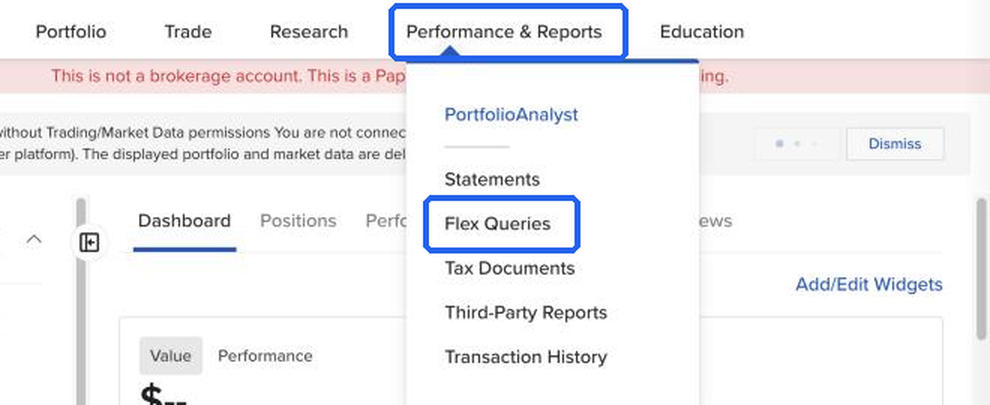
Open Client Portal, then Performance & Reports → Flex Queries. With IBKR's newer menu this is Reporting → Flex Queries.
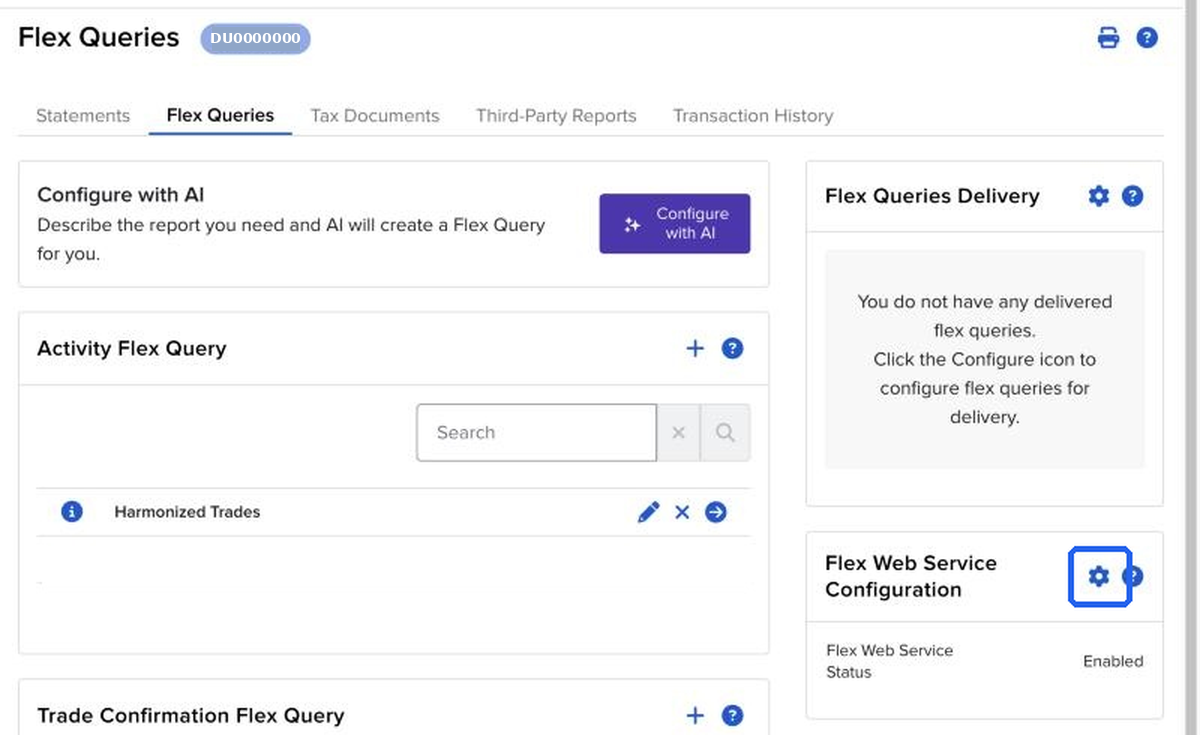
You should see: A Flex Queries page, with Flex Web Service Configuration on it.
Click the gear next to Flex Web Service Configuration. Tick Flex Web Service Status. Then Generate New Token.
You should see: A long token number.
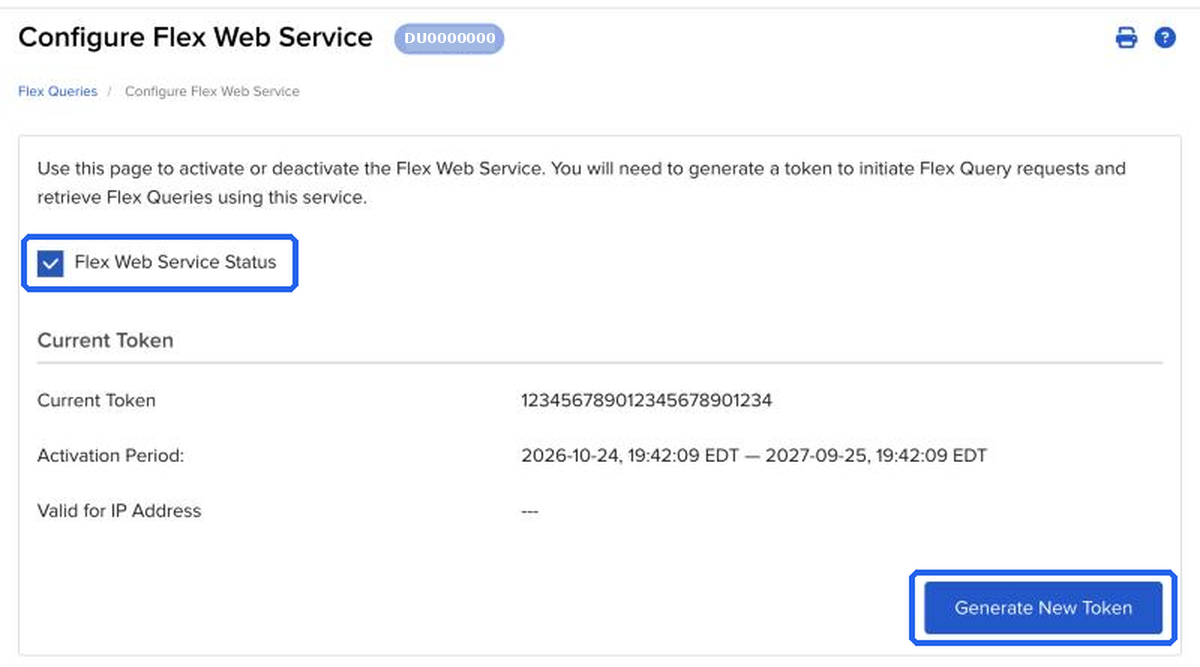
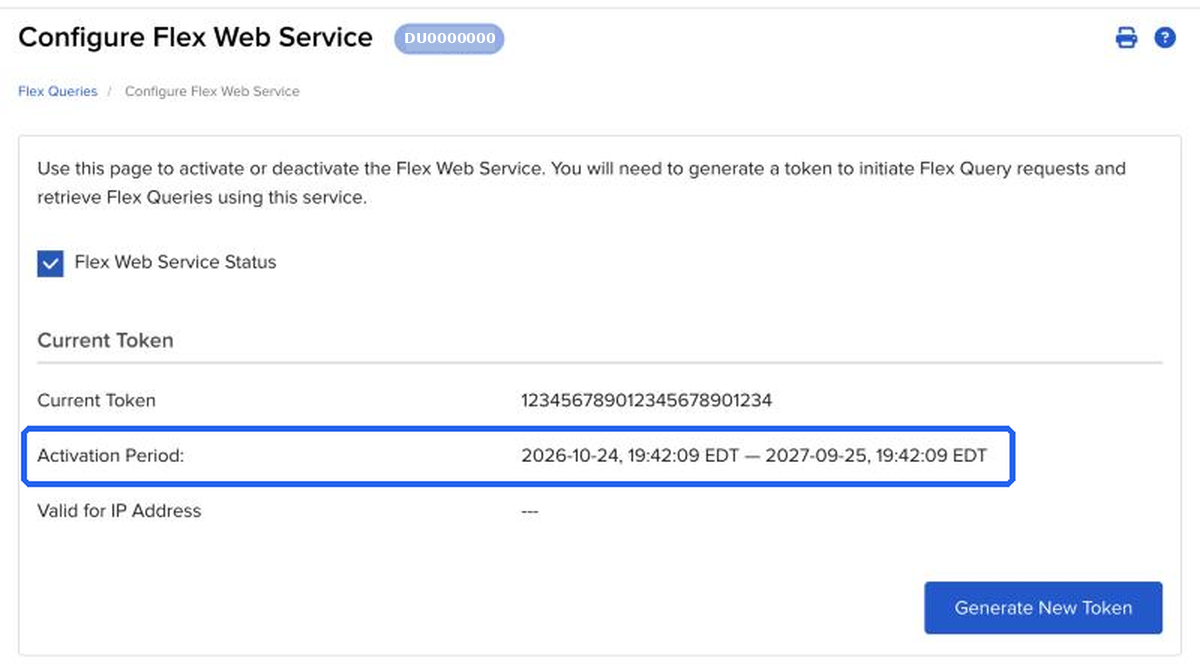
Set Should Expire After to 1 year. Leave IP restriction blank. Copy the long number.
You should see: An expiry date about one year from today.
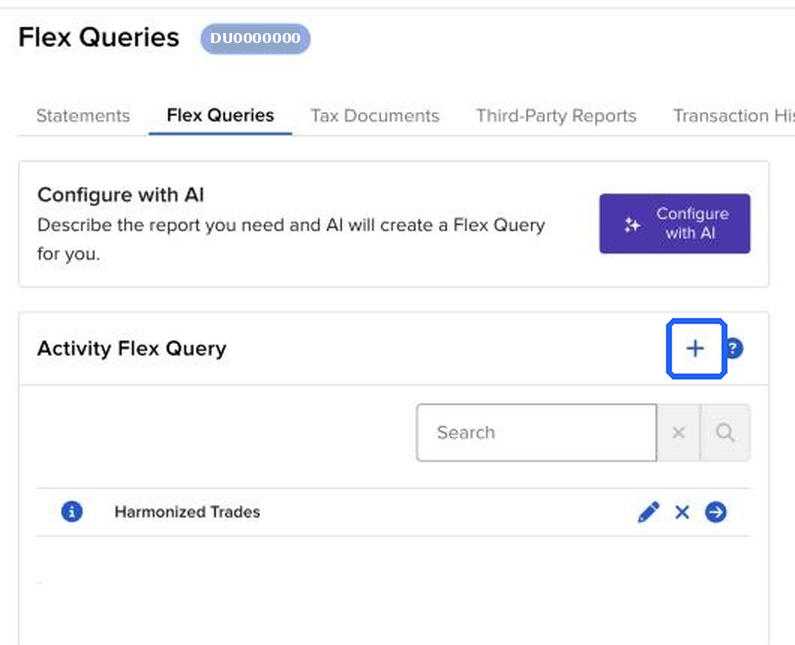
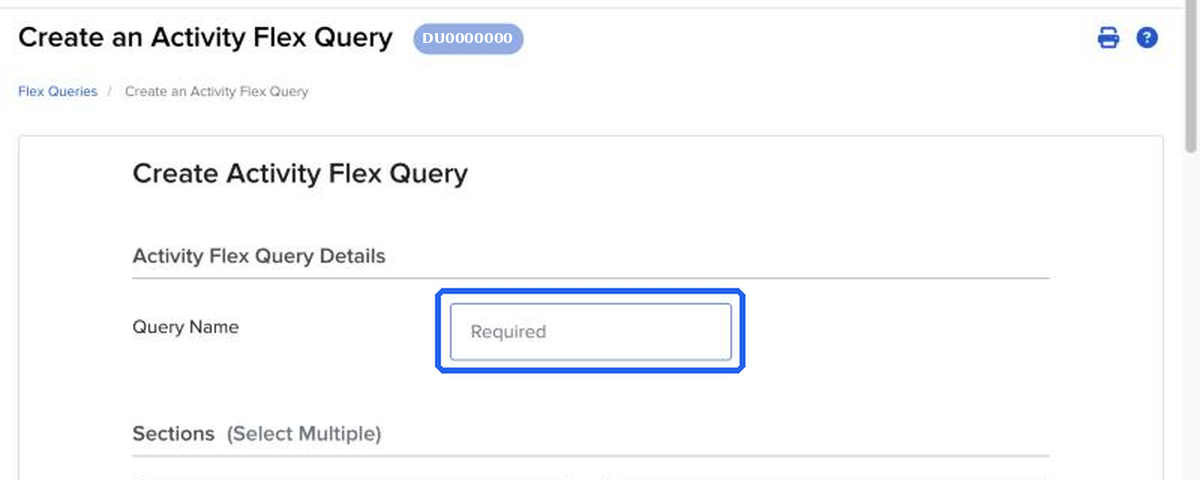
Click + next to Activity Flex Query. Name it Harmonized Trades. If you have several IBKR accounts, add the account number. Create one query per account.
You should see: A new query named Harmonized Trades.
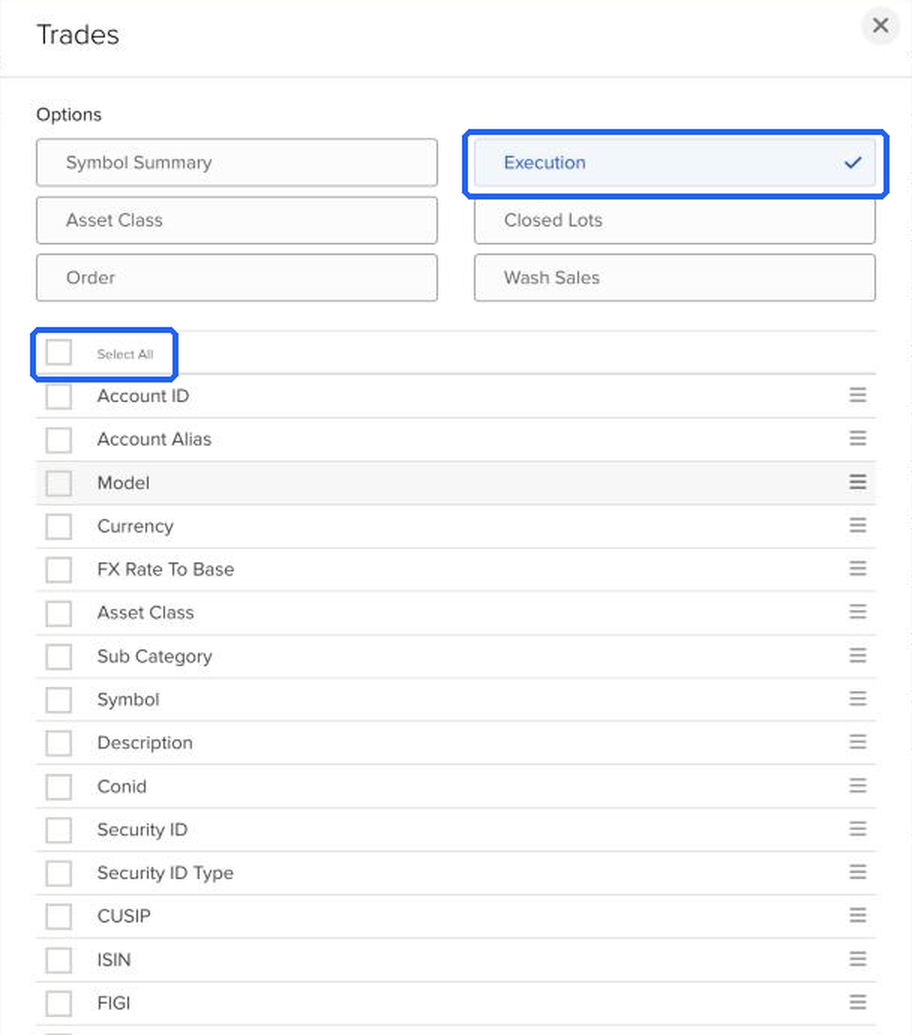
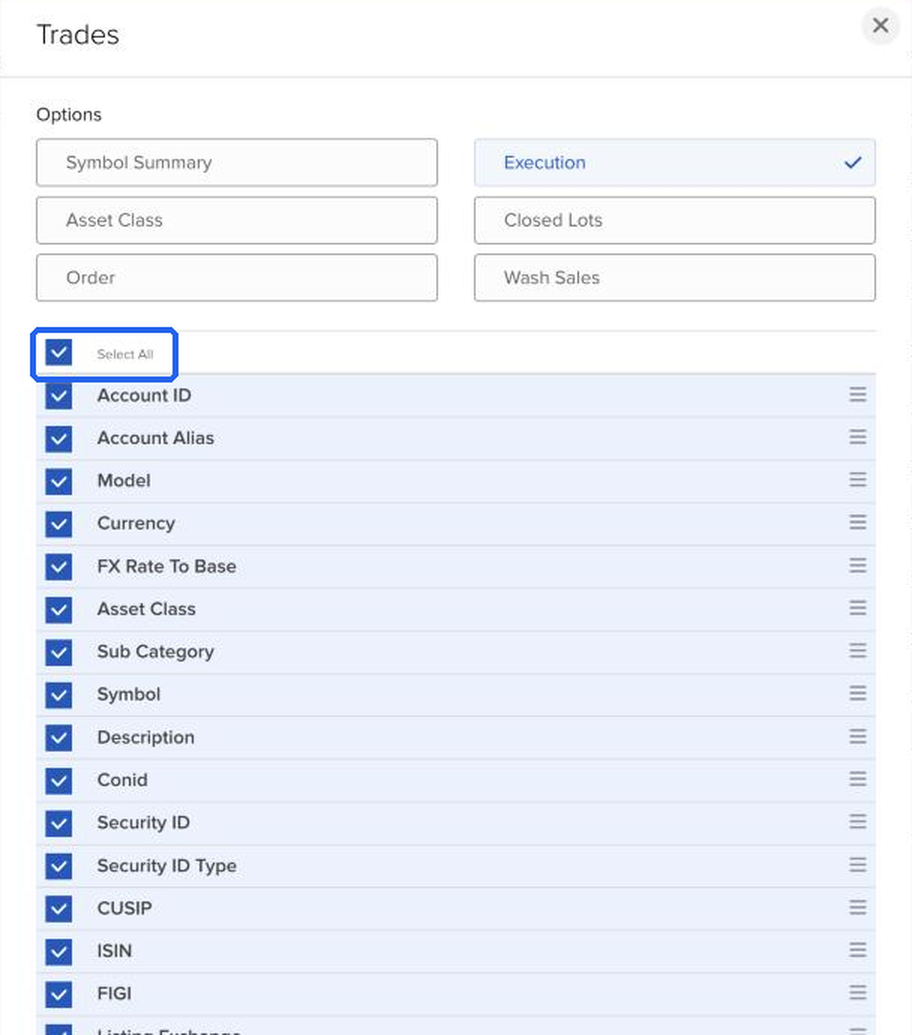
Open Sections → Trades. Choose Executions. Click Select All. Save.
You should see: Executions selected, with every Trades field turned on.
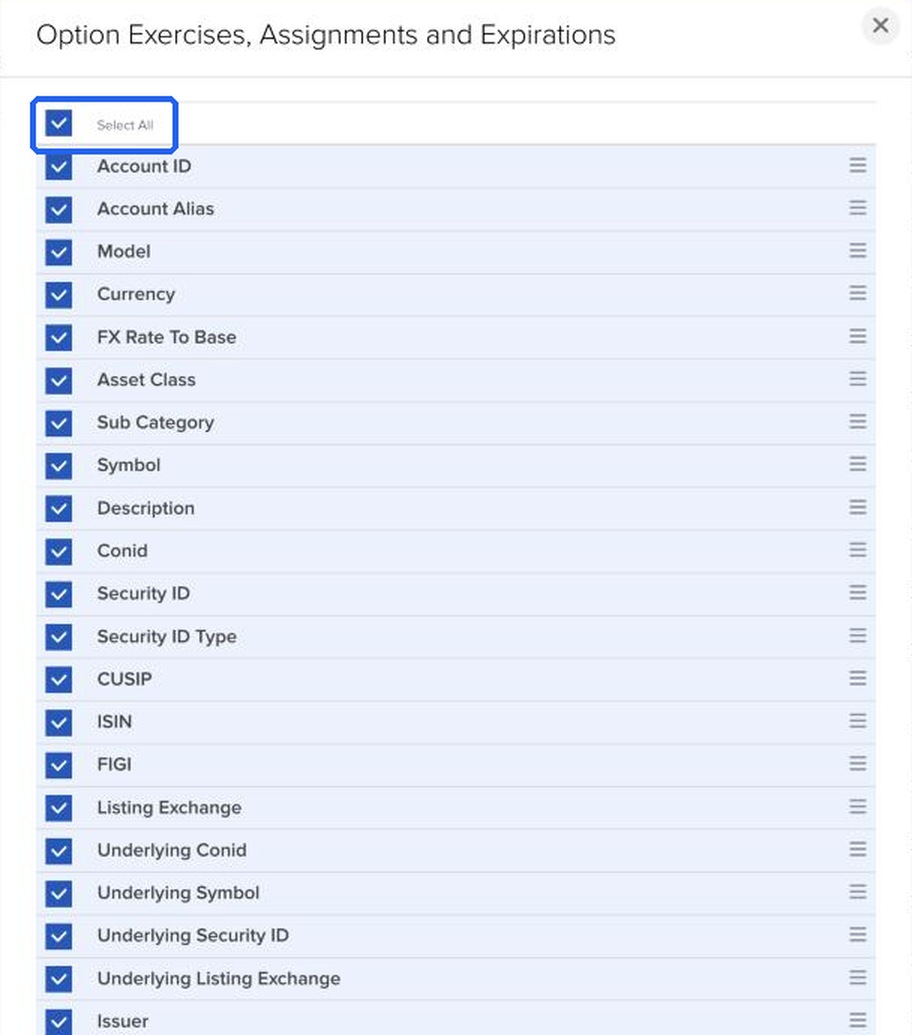
Open Option Exercises, Assignments and Expirations. Click Select All. Save. We read assignments from Trades. This section does no harm and matches every other guide.
You should see: That section saved.
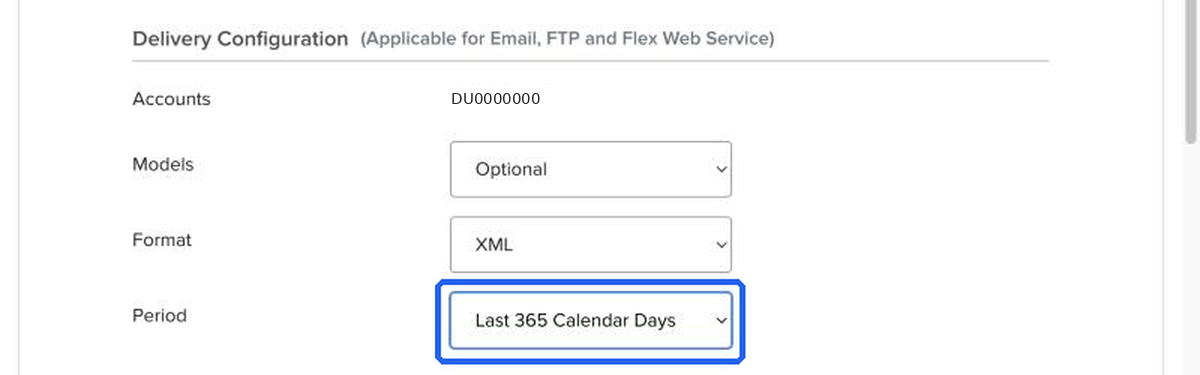
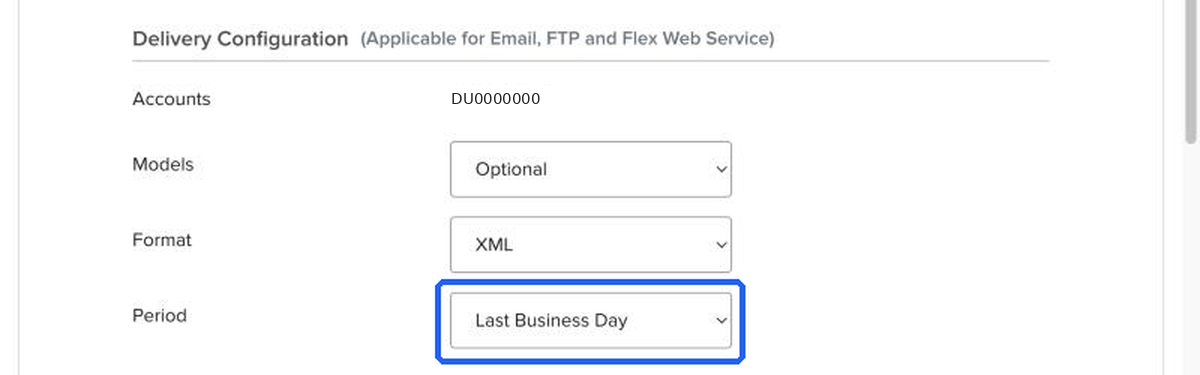
In Delivery Configuration, set Format to XML and Period to Last 365 Calendar Days. Leave every other setting as it is, especially the date and time formats. Don't tick web service query.
You should see: Format XML and Period Last 365 Calendar Days.
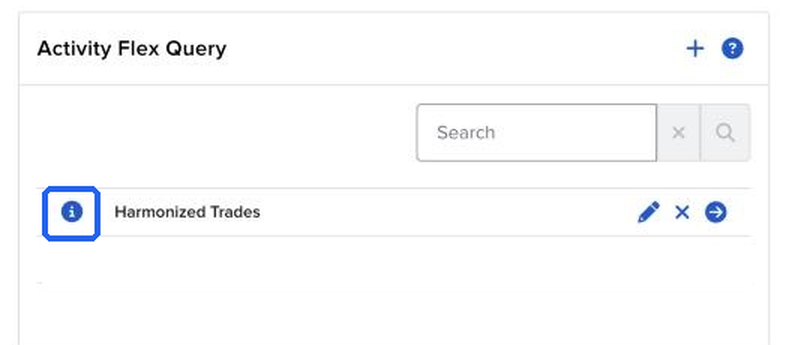
Save the query. Click its info icon or pencil. Copy the Query ID, the short number.
You should see: A Query ID of about 6 or 7 digits.
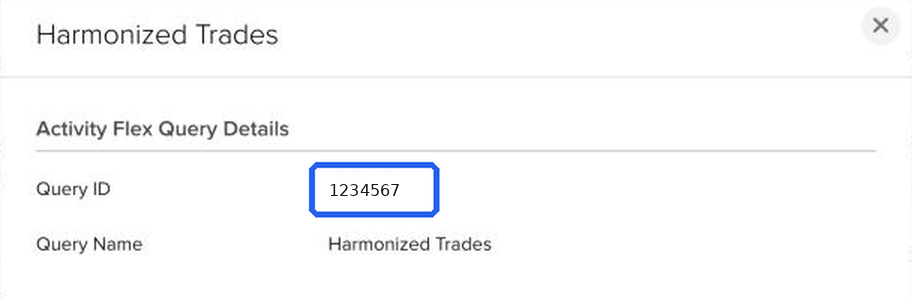

Back in Harmonized Trades, paste the long number into Flex token and the short number into Query ID. Then tap Check. We confirm them with Interactive Brokers before syncing.
You should see: A short confirmation of your account and your most recent trades.
Create one Activity Flex Query per IBKR account. Add the account number to the query name. The same Flex token works for all of them.
| What you see | Why | What to do |
|---|---|---|
| That's a Trade Confirmation query. We need an Activity Flex Query. | The number you pasted is a Trade Confirmation query. | Create an Activity Flex Query. Start at step 4. |
| This query covers more than one account. Create one query per account. | The Activity query includes more than one IBKR account. | Create one query per account. Start at step 4. |
| In the Trades section, choose Executions. | The Trades section is set to something other than Executions, such as Orders or Closed Lots. | Open the Trades section, choose Executions, and save. Step 5. |
| Some Trades fields are turned off. Open the Trades section and click Select All. | Not every Trades field is selected. | Open the Trades section and click Select All. Step 5. |
| The query's date or time format was changed. Set them back to the defaults. | Date or time format in Delivery Configuration is not the IBKR default. | Set the date and time formats back to the defaults. Step 7. |
| Your query covers fewer than a full year, so older trades won't import. For a full year, set Period to Last 365 Calendar Days. | The query period is shorter than the last 365 calendar days. | Set Period to Last 365 Calendar Days. Step 7. |
| No stock or option trades in the last year. If that's wrong, check you're logged in to the right account. | The report has no stock or option trades for that account. | Confirm you are logged in to the IBKR account that has the trades. |
| We found trades, but none are US stocks or options, which is what Harmonized Trades supports. | The report has trades, and none of them are US stocks or options. | Harmonized Trades imports US stocks and options. Futures, forex, and non-USD trades are skipped. |
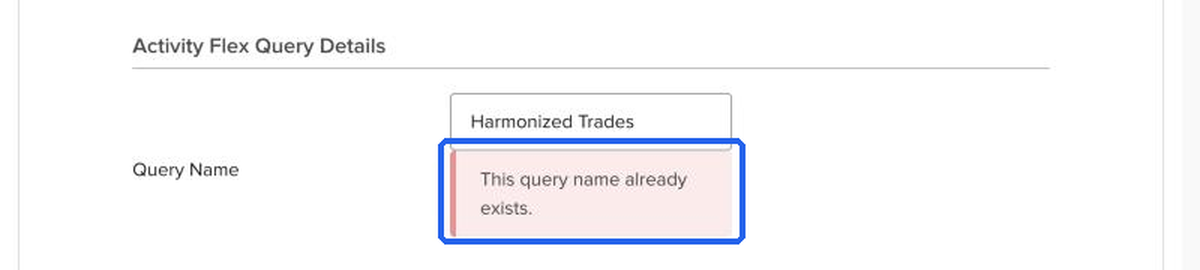
| This query name already exists.
|
IBKR shows this under Query Name when you click Continue. A query with that name is already on your account, usually from an earlier attempt. | Use the existing query: go to Flex Queries, click its info icon, and copy its Query ID (step 8). Or give the new query a different name, such as Harmonized Trades 2. |
| Your Session Has Expired. | You opened a Flex Queries link while logged out of IBKR. IBKR doesn't return you to that page after logging in. | Log in at Client Portal, then open Performance & Reports → Flex Queries (step 1). |
| Your IBKR Flex token stopped working. Update it to keep syncing. | The token expired, or a new token was generated in IBKR (that turns off the old one right away). | Generate a new token with Should Expire After set to 1 year (step 3), then go to Settings → Brokerage → Interactive Brokers → Update token. Your Query ID stays the same. See Renewing your token. |
| Your Flex token has an IP restriction. Clear the IP field in IBKR's Flex Web Service settings. | The token was created with an IP address restriction, so IBKR refuses requests from our servers. | In IBKR, open the Flex Web Service settings (step 2), generate a new token with the IP field left blank, and update it in the app. |
| We couldn't find that Flex query. If you edited or deleted it, enter the new Query ID. Make sure it's an Activity Flex Query. | The Query ID is wrong, the query was deleted or edited, or it's a "web service query" instead of an Activity Flex Query. | Open Flex Queries in IBKR, click the info icon next to your Activity query and copy its Query ID (step 8). If the query is gone, create it again from step 4. |
| No statement yet. New accounts have nothing to report until IBKR's next overnight run. | The account is new or has no activity, so IBKR hasn't produced a report yet. | Wait until the morning after your first trade, then try again. Nothing in your setup needs to change. |
| IBKR is busy. We'll try again shortly. | IBKR was still generating the report, or its servers were busy or under maintenance. | Nothing to do. We retry automatically later the same morning. If it lasts more than a day, use Sync now in Settings → Brokerage. |
| IBKR is busy. We'll try again shortly. | Too many requests were made with this token in a short time, often because another app uses the same token. | Nothing to do. We wait and retry. If it keeps happening, check whether another app syncs the same token very often. |
| Couldn't reach Interactive Brokers. | A network problem or an unexpected answer from IBKR. | We retry automatically. If it lasts more than a day, use Sync now in Settings → Brokerage, then contact support. Never send us your token. |
| Add the date your new Flex token expires. | A new token was pasted without its expiry date. | Pick the date IBKR shows as the end of the token's Activation Period. For a 1-year token it's about a year from today. |
| That date has already passed. Check the expiry IBKR shows for this token. | The expiry date entered is before today. | In IBKR's Flex Web Service settings, read the end of the Activation Period and enter that date. If it has passed, generate a new token. |
| IBKR tokens last at most a year. Check the expiry IBKR shows for this token. | The expiry date entered is more than a year away, which IBKR doesn't allow. | Enter the end date of the token's Activation Period exactly as IBKR shows it. |
Contact support · Privacy · Terms
Harmonized Trades is a trade-journaling and analytics tool. It does not provide investment advice, recommendations, or signals. Trading involves risk of loss.