The trading journal that lives on your phone.
Free, no ads. Link Schwab, tap Sync, pick a date, and find the patterns in how you actually trade.
Your win rate is calculated, not guessed.
Every other free trading journal makes you type your trades in. This one links to your broker.

Why this trading journal
Built-In Trade Journal
Add notes to any position. Capture your reasoning, lessons learned, and next moves — all right where your trades live.
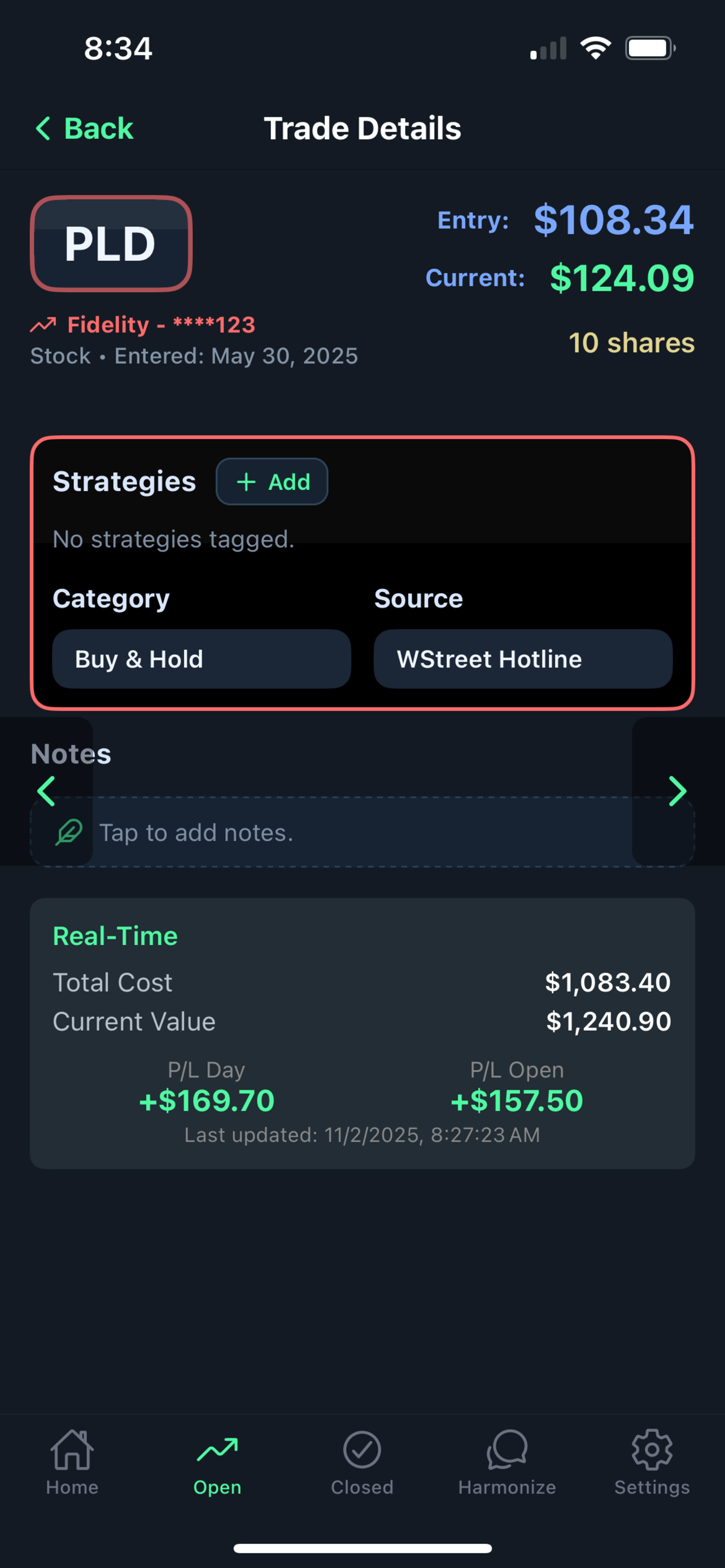
All Your Trades in One Journal.
Link Schwab — tap Sync and pick a date, or turn on Auto Sync with Basic or Pro. Import a Fidelity export or another broker's CSV, or add trades by hand. More brokerage connections are in progress.

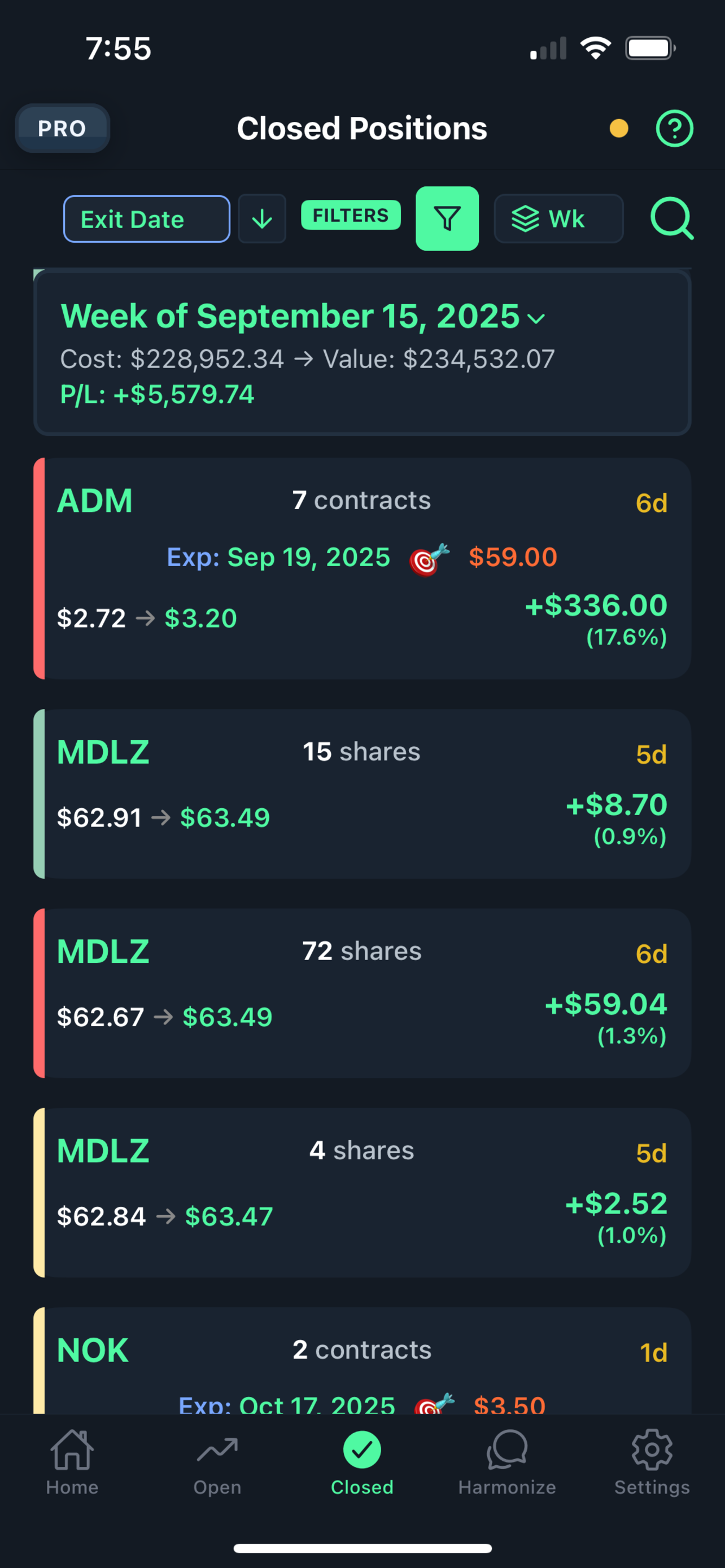
Know how your setups actually behave
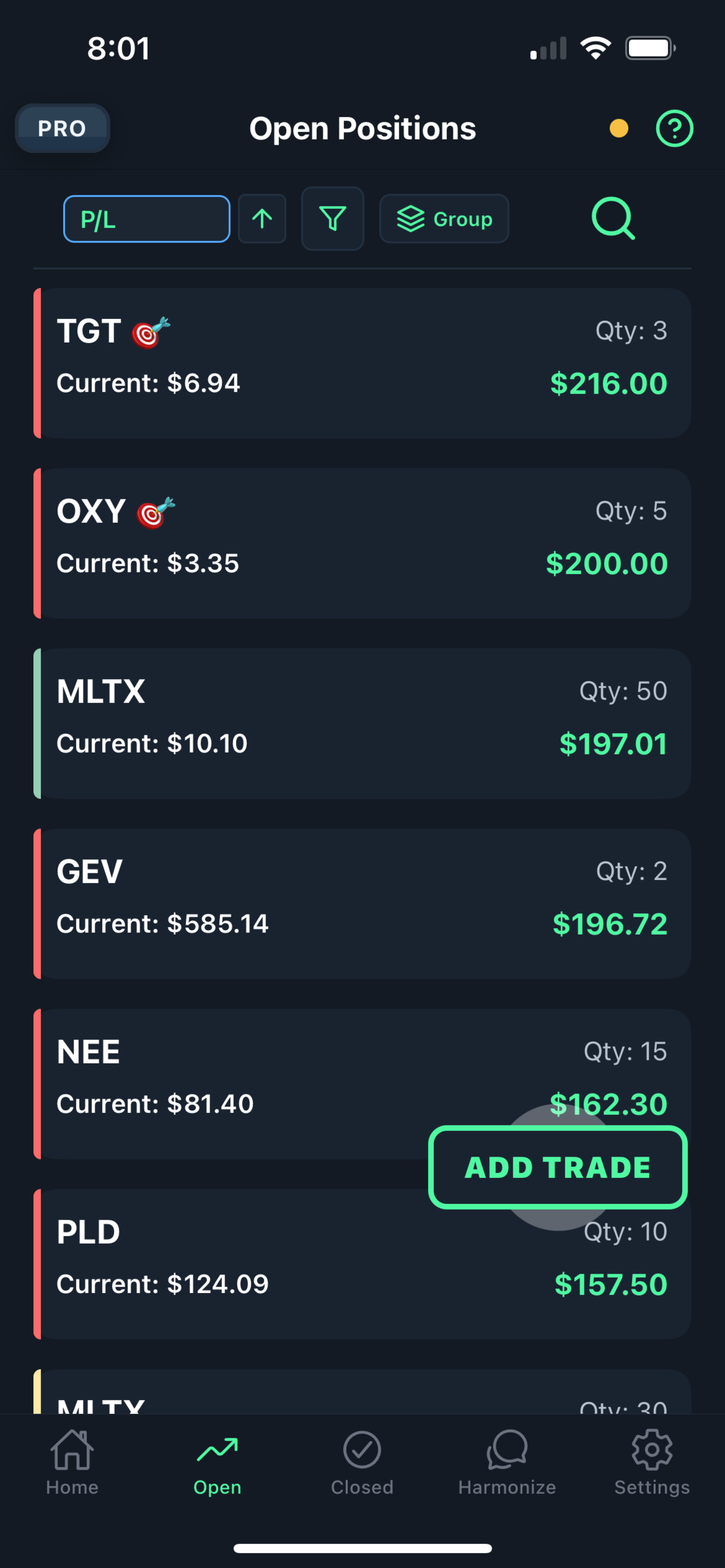
Group closed trades by day, week, or ticker, then sort by P&L or filter by strategy. Instantly see what’s working and what isn’t — no spreadsheets required.
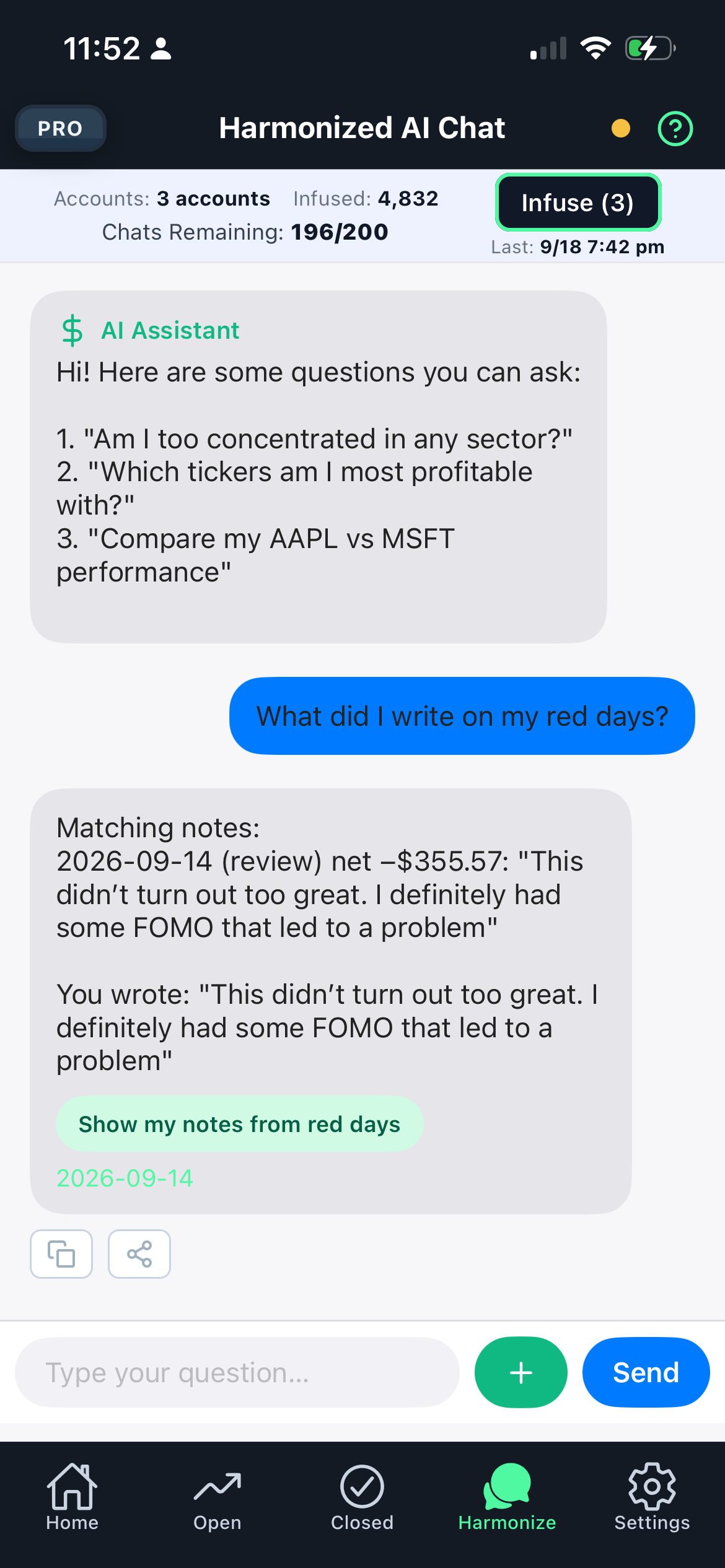
Ask Your Portfolio Anything
“What did I write on my red days?” “How did I do this week?” Ask in plain English. Harmonized AI finds patterns in your logged trades and brings back what you wrote — never signals, never picks, never advice.
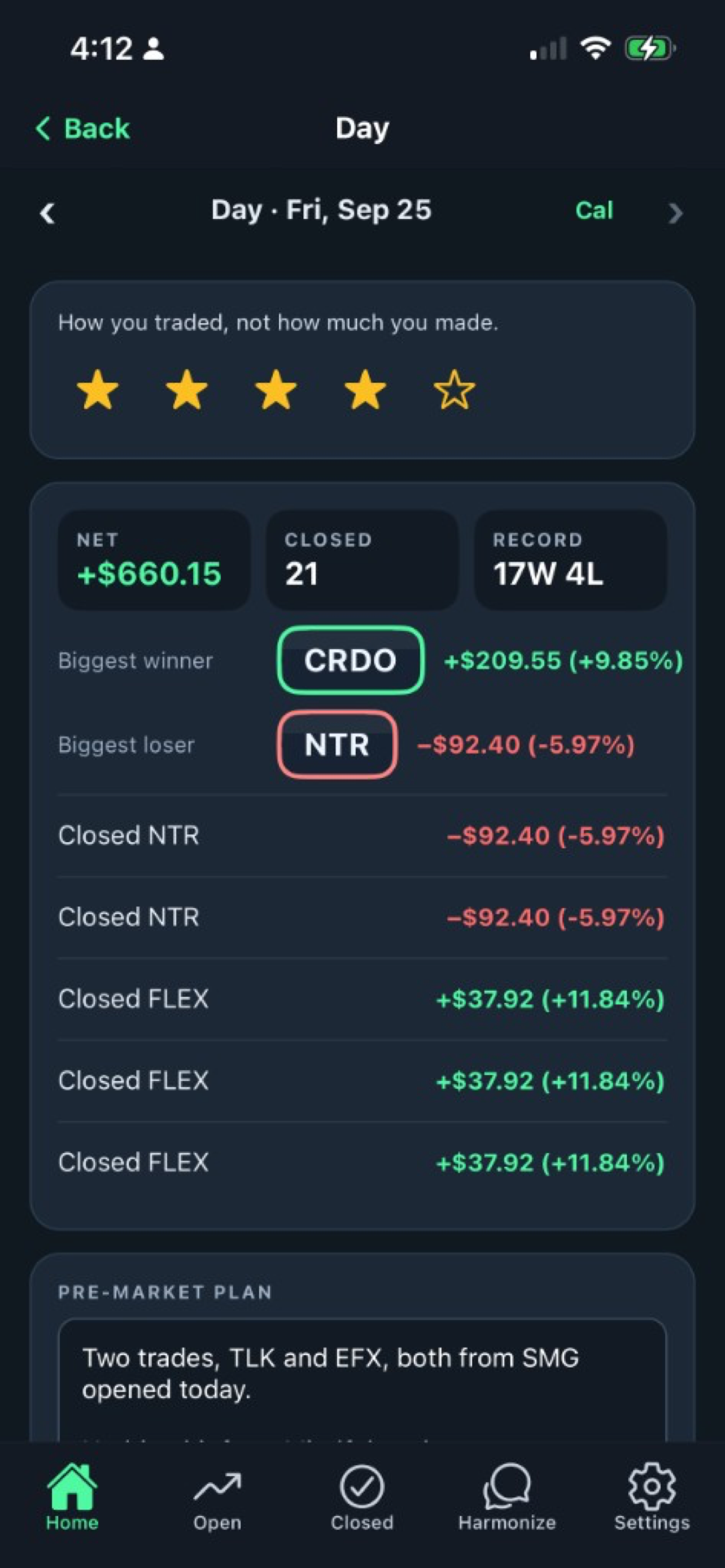
A Journal for the Whole Day
Rate how you traded — not how much you made — and jot quick notes as the day happens, right from Home. Every day you wrote about is in one searchable Notes list, next to that day's P&L.
Live Prices, Trades on Your Command
Once a position is in, prices update every 15 seconds while the market is open. New trades come in when you pull them in or import a file. On the free plan, nothing touches your brokerage unless you ask. Basic and Pro can turn on Auto Sync — it's off until you do.
How often should your journal catch up with your broker?
When you say so.
Tap Sync, pick a date range, your trades come in. Nothing touches your Schwab connection until you ask. On every plan, including free.
Once a day.
With Basic, Harmonized Trades checks Schwab after the close, so your journal is ready when you sit down to review it.
All day.
With Pro, it checks through the trading day and brings new fills in as they happen.
Turn it off whenever you like.
Manual Sync never goes away. Schwab asks you to re-authorize every seven days — we'll remind you before it lapses.
Your Schwab connection is stored encrypted at rest. We never see or store your Schwab password. You can revoke our access from inside Schwab at any time, and Auto Sync stops.
Choose your trading journal plan
Free
$0- Link your Schwab account — tap Sync, pick a date, your trades come in
- Live prices every 15 seconds while the market is open
- Full mobile app on iOS and Android
- A daily journal, plus notes on every position
- Education mode with an AI educator
- 1 trade account · 6 months of history, including Reports · 15 AI chats a day
- No ads. No card.
Basic
$4.99/moEverything in Free, plus Auto Sync and the web app.
- Auto Sync — checks Schwab once a day, after the close
- Bulk-classify trades
- Full trade tables
- Full-size charts
- CSV import/export
- 5 trade accounts · full history · 50 AI chats a day
Pro
$11.99/moEverything in Basic. Adds GPT-4o mini: ChatGPT-class reasoning on your journal, with exact P&L math underneath.
- Auto Sync — checks Schwab all through the trading day
- 20 trade accounts · full history · 200 AI chats a day
The same trading journal on your desktop
Basic unlocks the web app — the same journal, built for a keyboard and a wide screen. Your win rate is calculated, not guessed.
Bulk-classify trades
Tag source, strategy, and category across a selection in one pass — the pile of untagged imports, handled.
Full trade tables
Dense rows, every column, sort and filter without the phone’s cramped cards.
Full-size charts
See the shape of a trade on a real screen, not a postage stamp.
CSV import/export
Bring a brokerage file in, or take a spreadsheet out.
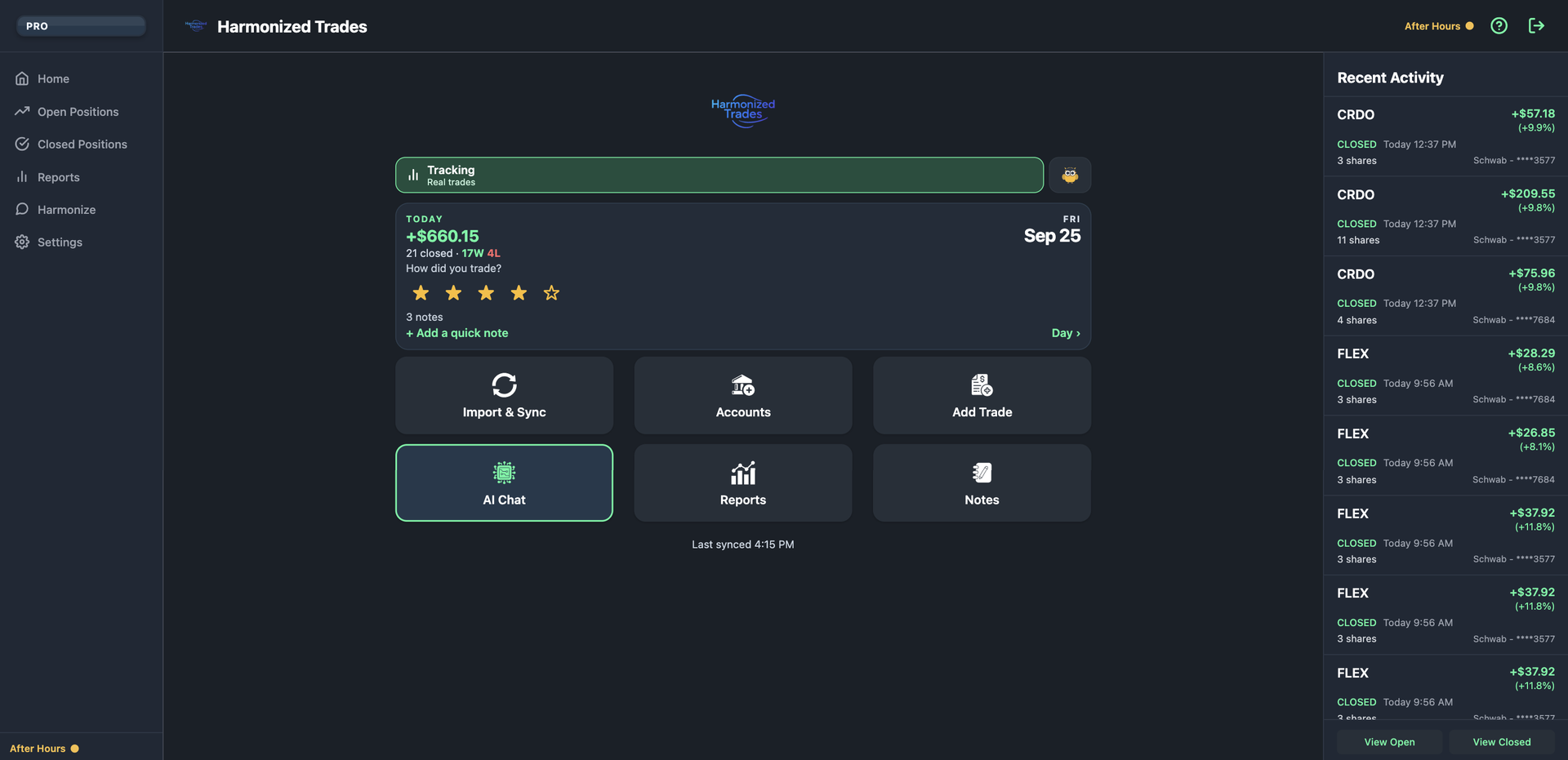
Recent Activity
Opens and closes land beside Home — ticker, P&L, and which account — without leaving the launchpad.
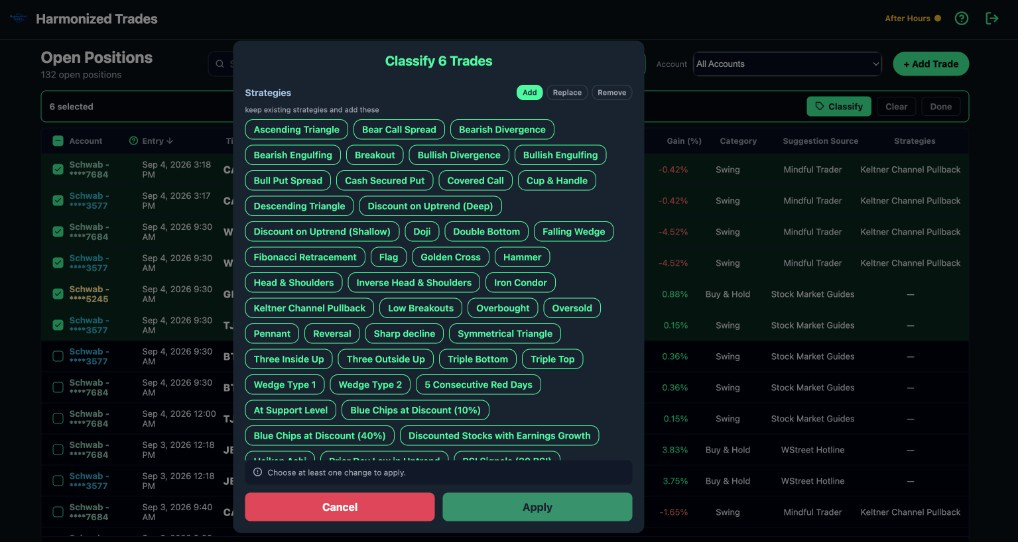
Bulk-classify trades
Tag source, strategy, and category across a selection in one pass — the pile of untagged imports, handled.
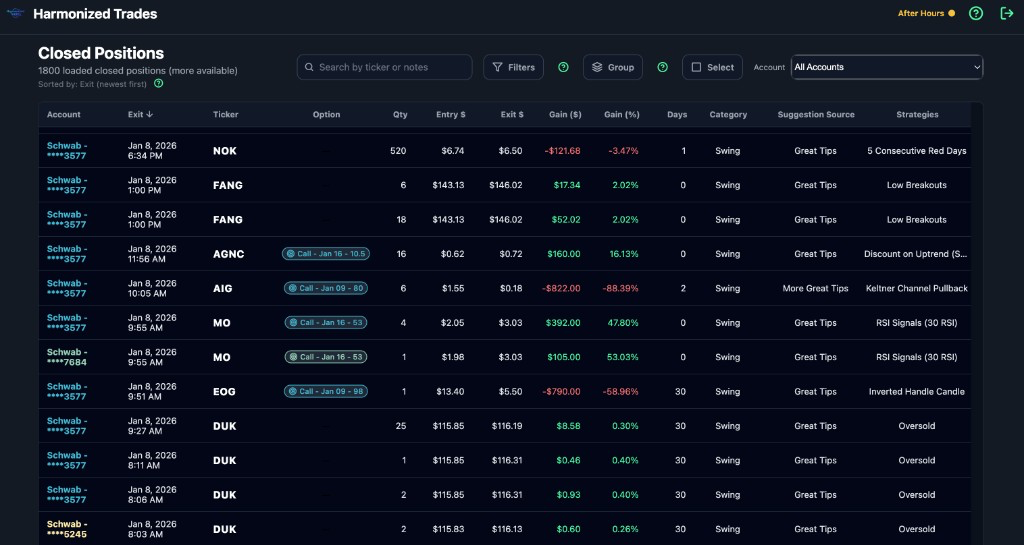
Full trade tables
Dense rows, every column, sort and filter without the phone’s cramped cards.
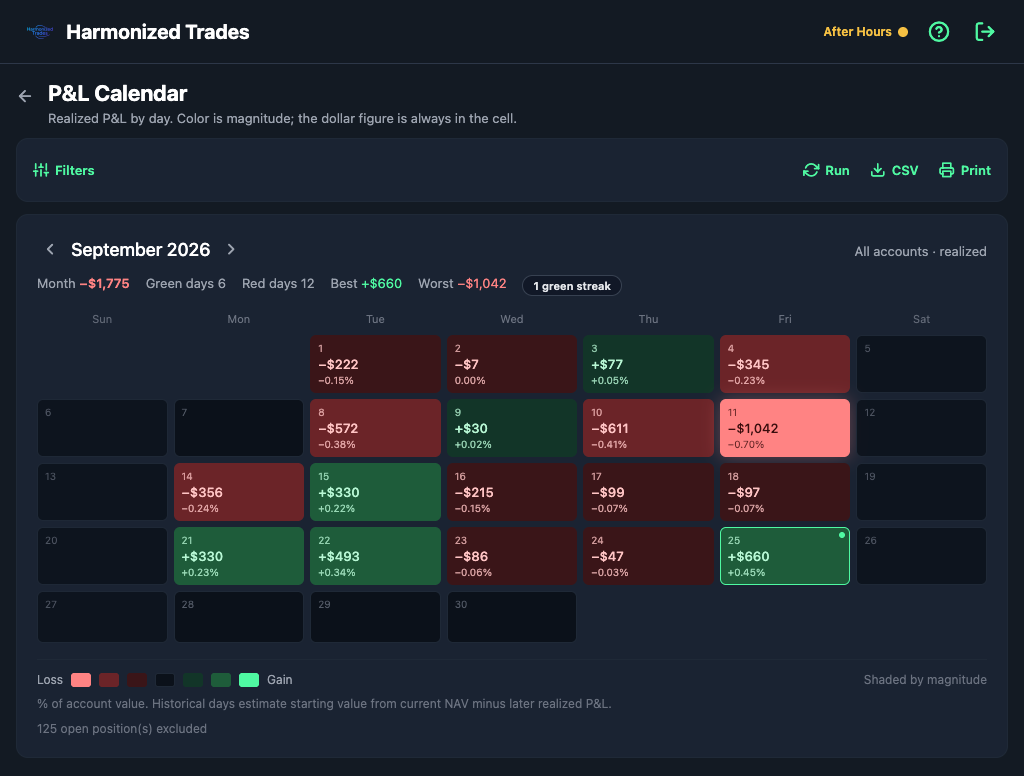
P&L Calendar
Realized P&L by day. Color is magnitude; the dollar figure is always in the cell.
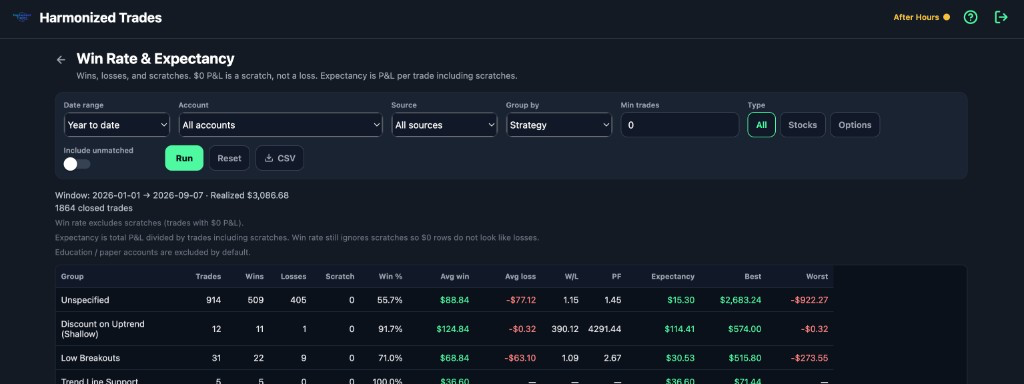
Win Rate & Expectancy
Wins, losses, and scratches. $0 P&L is a scratch, not a loss. Expectancy is P&L per trade including scratches.