


For Interactive Brokers traders · Stocks and options
An Interactive Brokers trading journal for your phone
Set it up once with your IBKR Flex report, and your stock and option trades come in, with assignments and expirations recorded the way IBKR booked them. Journal them on your phone, next to any other broker you use. Free, no ads.
iPhone, Android and web. Free needs no card.
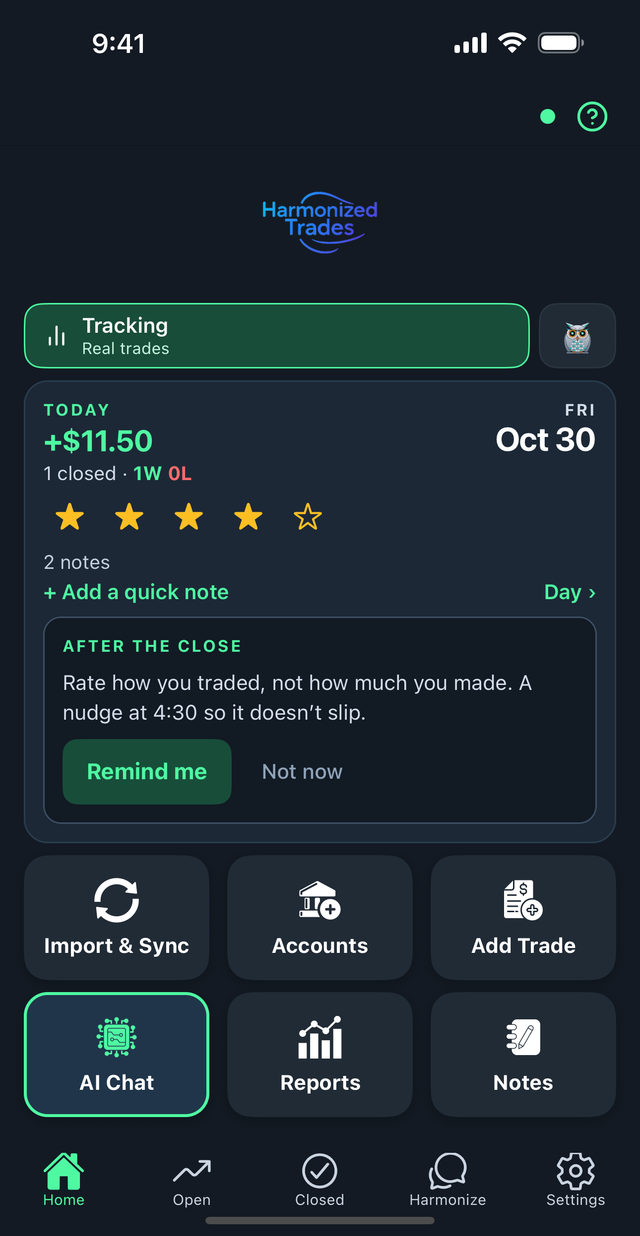
Your journal on your phone
Rate the day and note your reasoning from your phone, right after the close. The web app is there when you want the big screen.
Every broker in one journal
Keep IBKR next to Schwab or tastytrade, and import any other broker from a file. One win rate across all of them.
Set up Interactive Brokers once
About five minutes on a computer, because IBKR's Flex settings live in its web portal. The app walks you through each step.
-
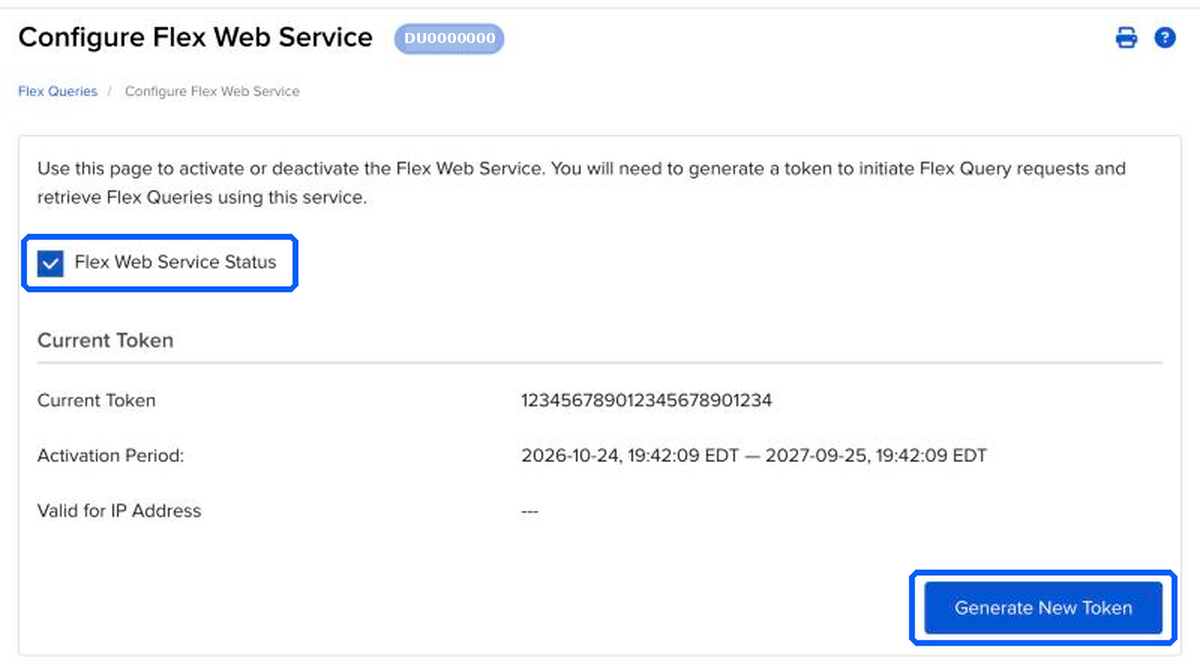
Turn on Flex Web Service
In IBKR's portal, turn on Flex Web Service and copy the token it gives you.
-
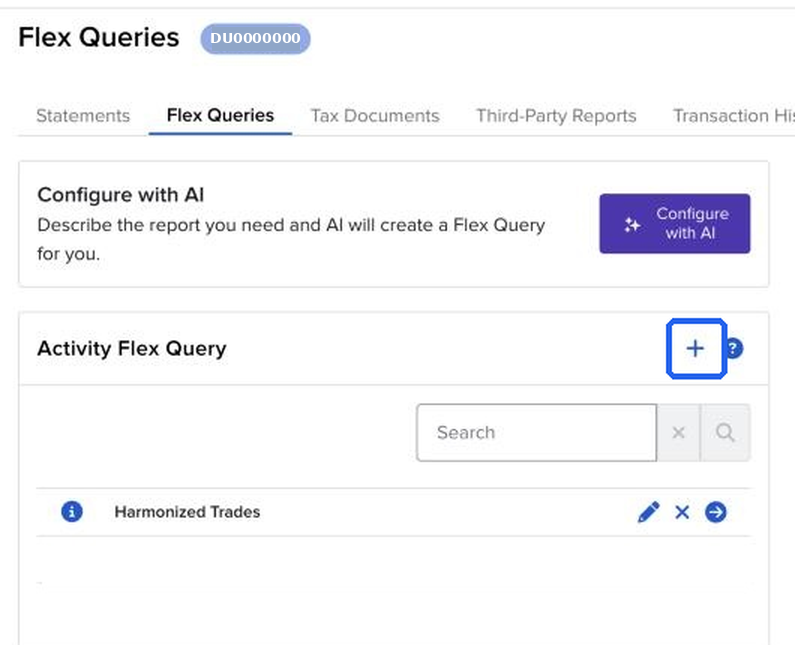
Create an Activity Flex Query
Make a Flex Query for your trades and copy its Query ID. The guide shows exactly which options to pick.
-
Paste them in and tap Sync
On Home, tap Import & Sync, then Link next to Interactive Brokers, and paste them in. Your last year of trades comes in.
Full step-by-step guide with screenshots: Interactive Brokers setup
What comes in from IBKR
- Stock trades, with entries, exits and fills.
- Option trades, including assignments and expirations, recorded the way IBKR booked them.
- Your last year of trades on the first sync.
- Stocks and options only. Futures aren't supported.
How often your journal catches up with IBKR
IBKR publishes its Flex report once a day, from its end-of-day statement. So today's trades arrive the next morning, on every plan.
| Plan | Interactive Brokers sync | Also included |
|---|---|---|
| Free$0 | Tap Sync whenever you want | 1 account, 6 months of history |
| Basic$4.99/month | Auto Sync each morning | 5 accounts, full history, the web app |
| Pro$11.99/month · 7-day free trial | Auto Sync each morning, same as Basic | 20 accounts, After-Trade Analysis |
An Interactive Brokers Flex token lasts up to a year. We'll remind you before it lapses. Compare all plans
Questions IBKR traders ask
Why don't today's trades show up until tomorrow?
The sync reads IBKR's Flex report, which IBKR builds from its end-of-day statement. Trades from today are in the next morning's report.
Does Pro sync IBKR faster?
No. IBKR publishes the report once a day, so Basic and Pro both sync it each morning. Pro adds faster Auto Sync for Schwab and tastytrade only.
Do I need a computer?
Only for the one-time setup, because IBKR's Flex settings are in its web portal. After that, everything works from your phone.
What happens when my token expires?
A Flex token lasts up to a year. We remind you before it lapses. Syncing pauses until you paste in a new one.
Is Harmonized Trades part of Interactive Brokers?
No. It's an independent trading journal that reads the Flex report you set up. Interactive Brokers is a trademark of its owner.
Also syncs


Start your Interactive Brokers trading journal
Free, no ads. Stocks and options, both on the free plan.