


For tastytrade traders · Stocks and options
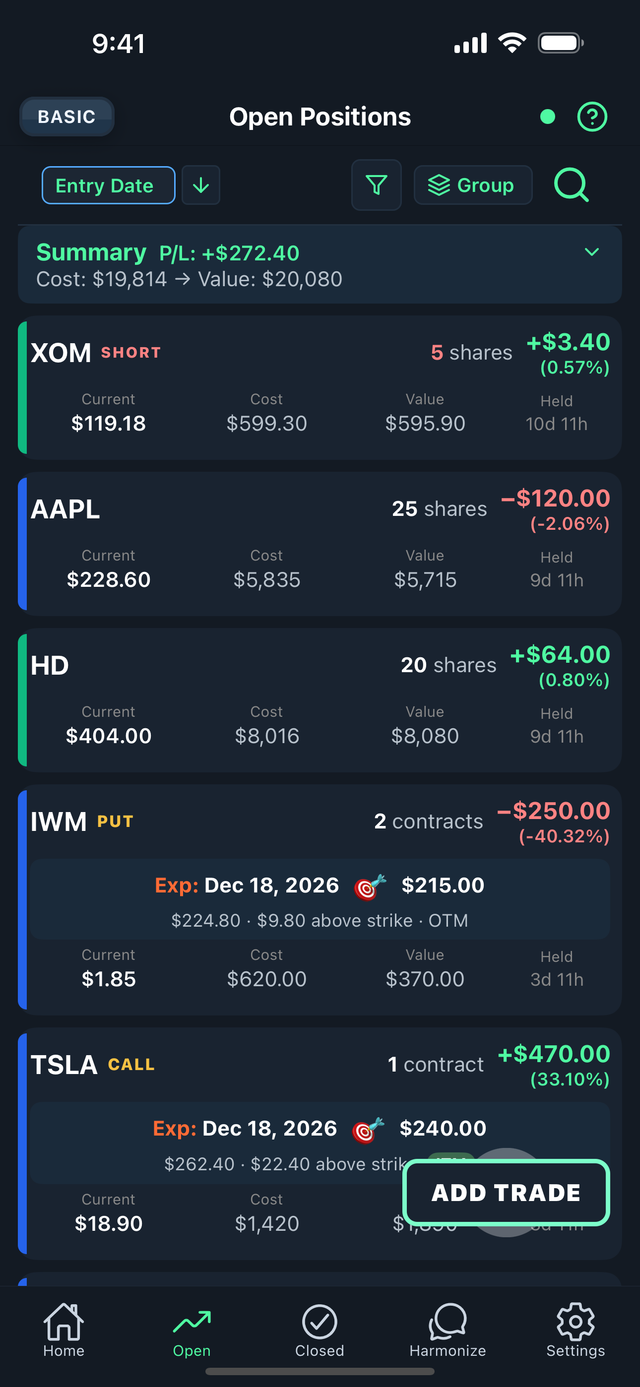
A tastytrade trading journal that lives on your phone
Link tastytrade on its own sign-in page, tap Sync, and your stock and option trades come in. Each multi-leg position is one trade. Then journal the day and see what your strategies actually do. Free, no ads.
iPhone, Android and web. Free needs no card.
How linking tastytrade works
Three steps, on your phone or in the web app. About a minute.
-
Add tastytrade
On Home, tap Import & Sync. Under Add a broker, tap Link next to tastytrade.
-
Sign in on tastytrade's page
You approve access on tastytrade's own sign-in page. We never see or store your tastytrade password.
-
Tap Sync
Your trades come in. Or turn on Auto Sync with Basic or Pro.
Step-by-step with screenshots: Get your trades in → tastytrade
What comes in from tastytrade
- Stock trades, with entries, exits and fills.
- Option trades. A multi-leg position is recorded as one trade.
- Short options show their credit, and open options show days to expiry.
- Stocks and options only. Futures aren't supported.
How often your journal catches up with tastytrade
Manual Sync is on every plan. Auto Sync is optional.
| Plan | tastytrade sync | Also included |
|---|---|---|
| Free$0 | Tap Sync whenever you want | 1 account, 6 months of history |
| Basic$4.99/month | Auto Sync once a day, after the close | 5 accounts, full history, the web app |
| Pro$11.99/month · 7-day free trial | Auto Sync through the trading day | 20 accounts, After-Trade Analysis |
Questions tastytrade traders ask
Is the tastytrade sync free?
Yes. On Free you link tastytrade and tap Sync whenever you want, with 1 account and 6 months of history. Basic and Pro add Auto Sync, more accounts and your full history.
Do spreads come in as one trade?
Yes. A multi-leg position is recorded as one trade, so a spread shows one result instead of separate legs.
Can I tag trades by strategy?
Yes. Give any trade a strategy, tags and notes, then group your closed trades by strategy to compare them.
I also trade at another broker. Can I use both?
Yes. Schwab and Interactive Brokers sync too. Any other broker imports from a CSV or spreadsheet.
Is Harmonized Trades part of tastytrade?
No. It's an independent trading journal that syncs with tastytrade. tastytrade is a trademark of its owner.
Also syncs


Start your tastytrade trading journal
Free, no ads. Stocks and options, both on the free plan.