
See it before you sign up
Everything on this page belongs to a made-up sample trader. None of it is a real account, and the numbers are not results.
Journal report (Basic and Pro)
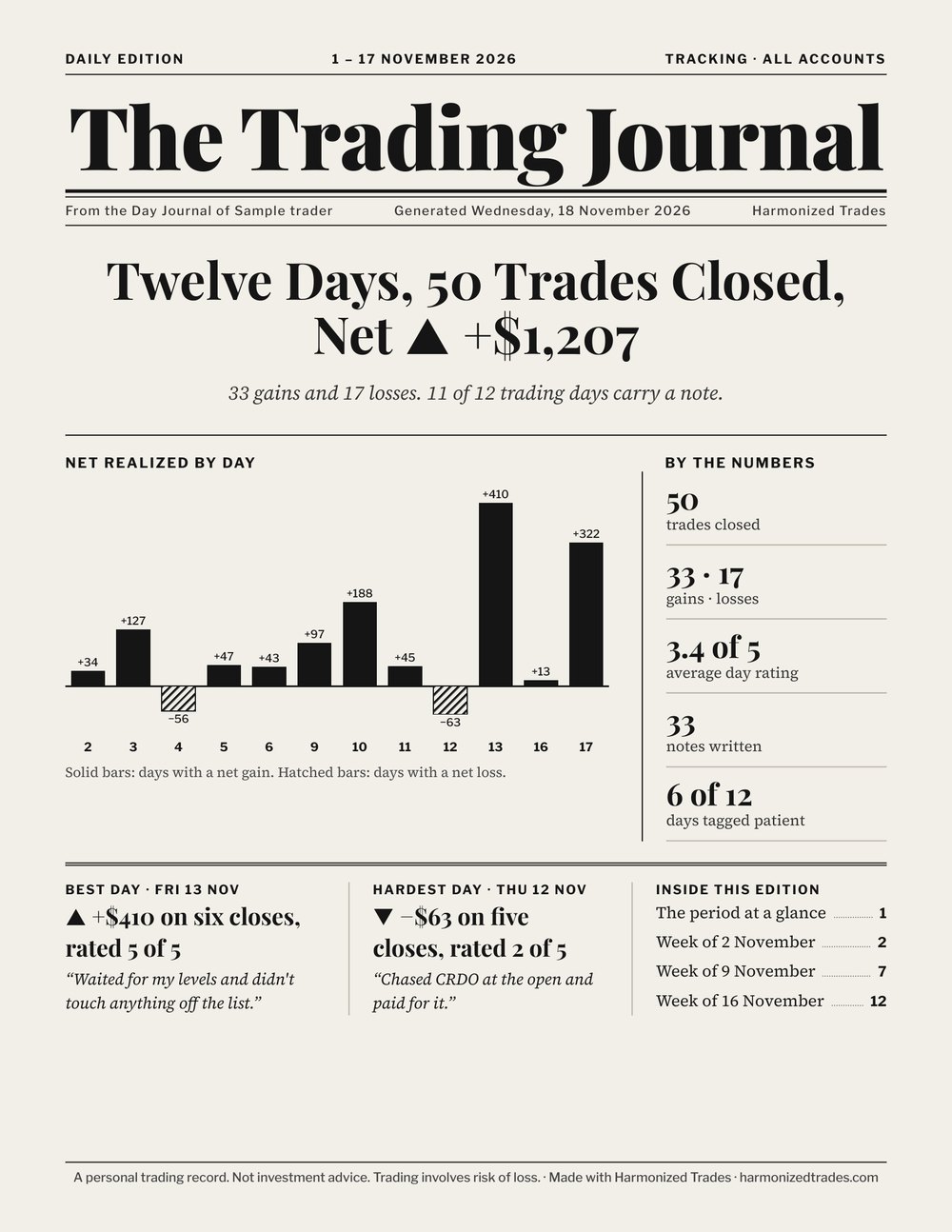
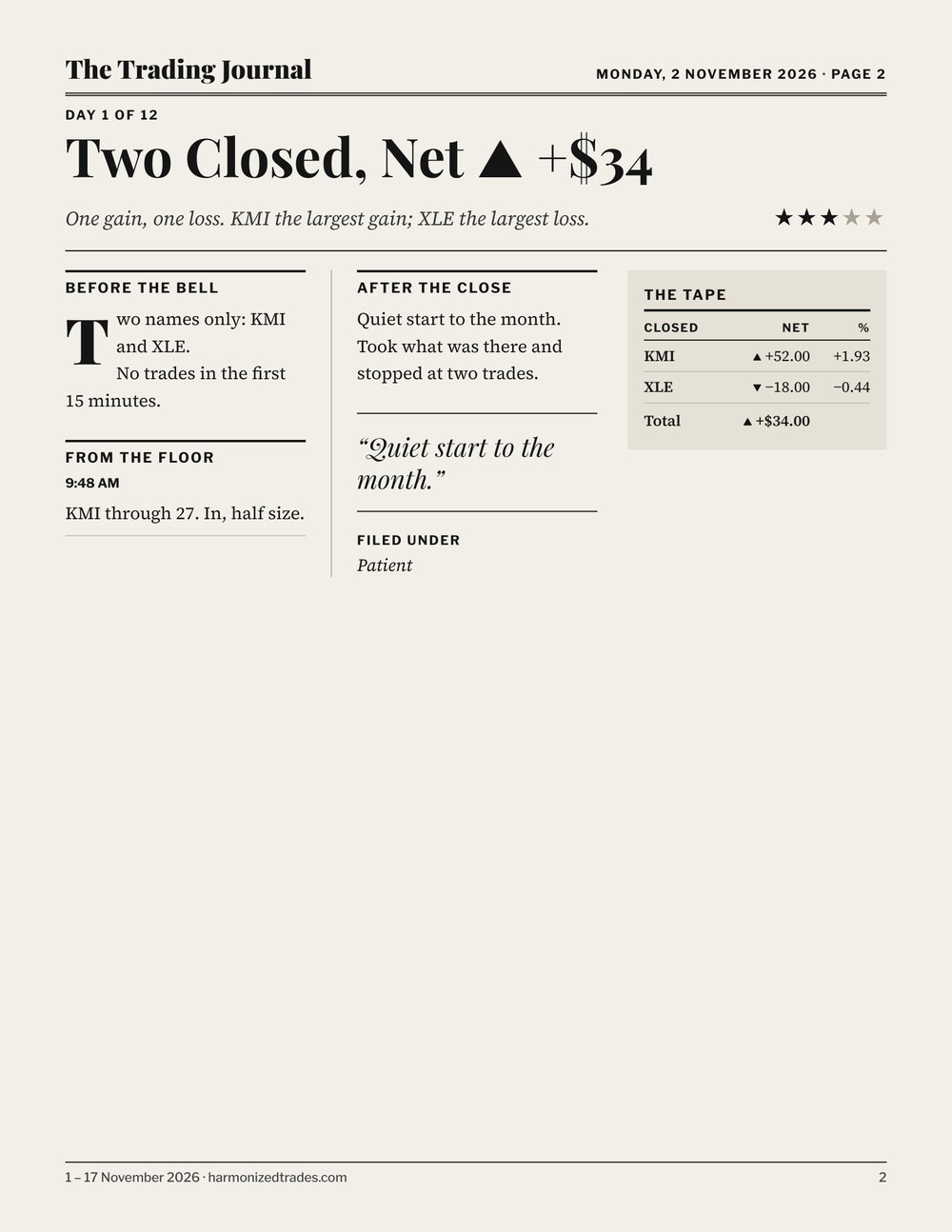
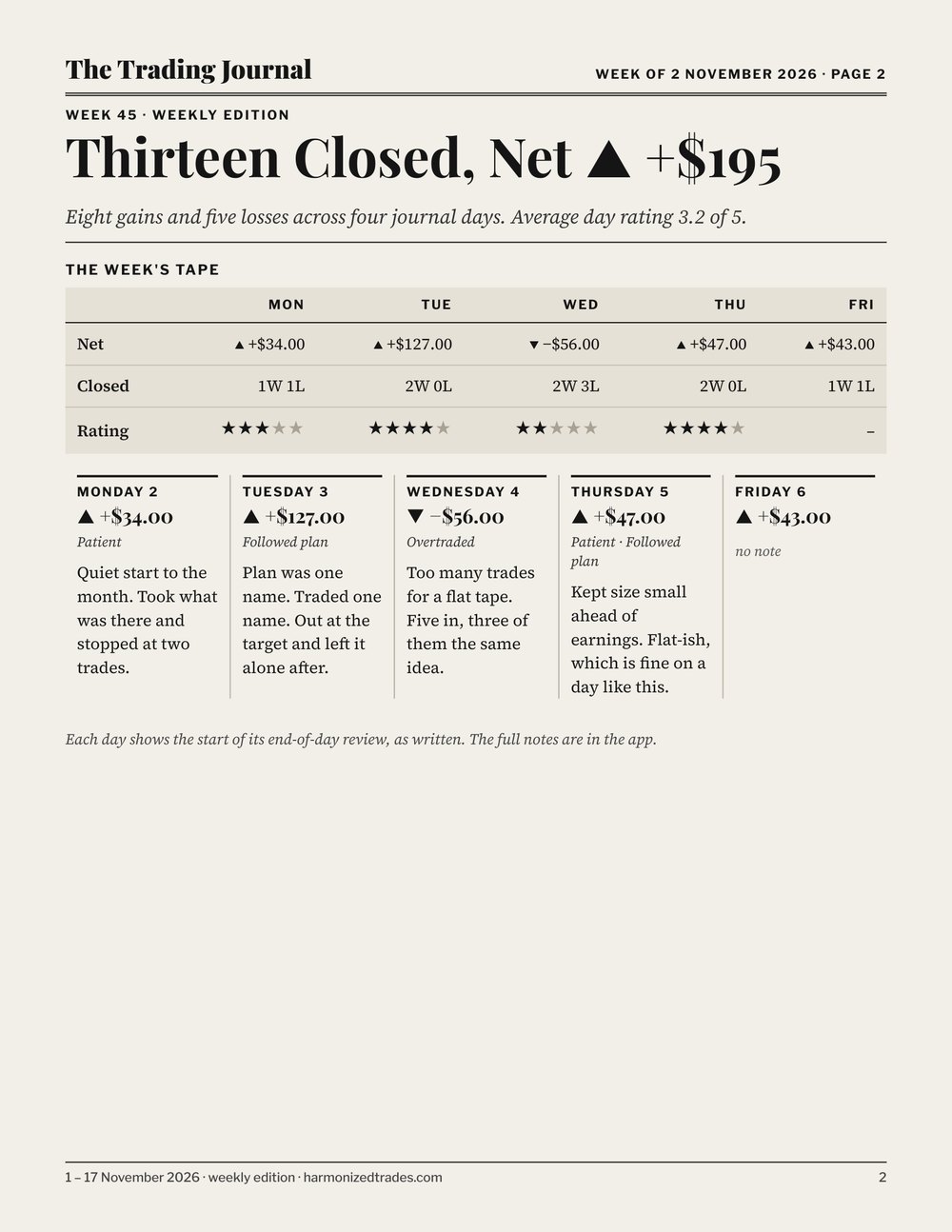
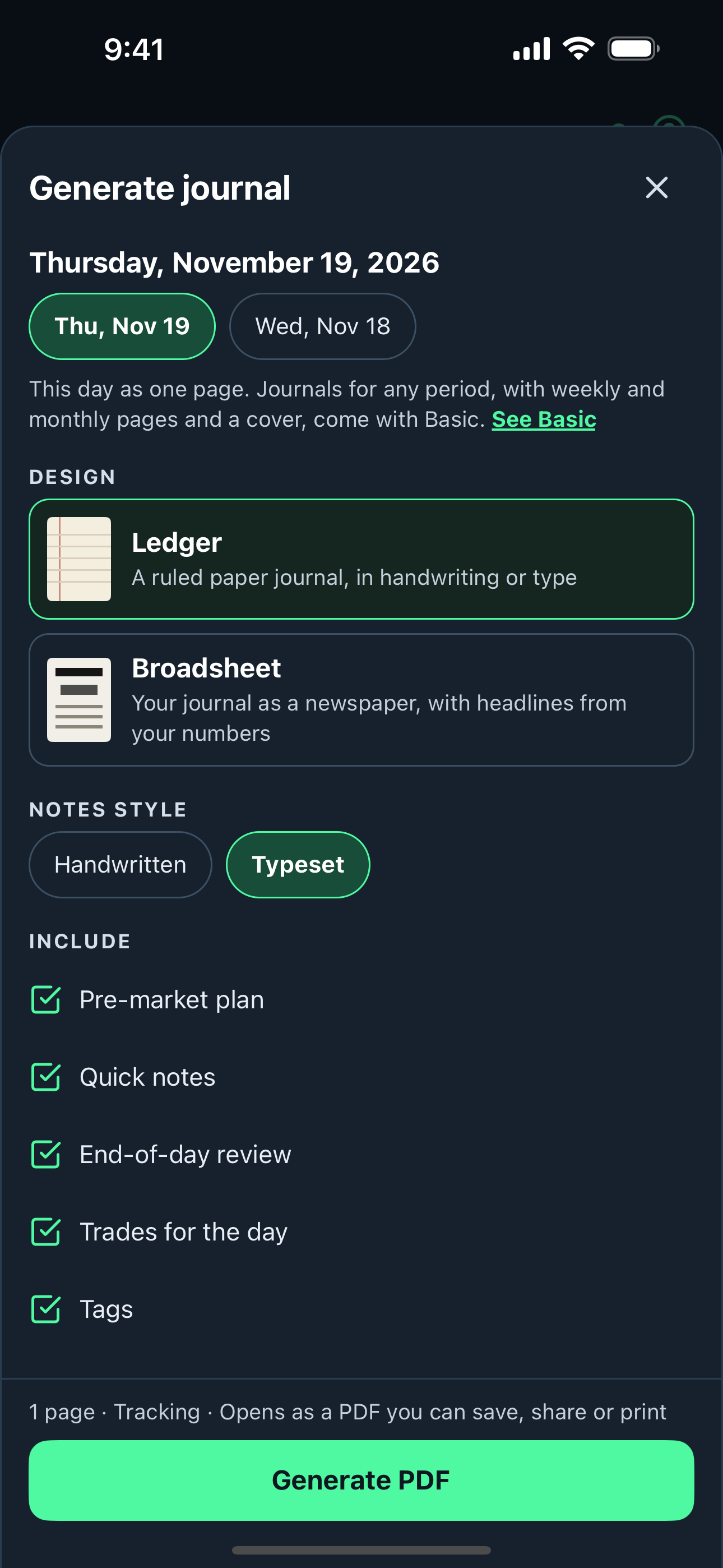
A Journal report prints your Day Journal as a PDF: a cover, then a page for each day, week or month. A day gets a page when it has a note or a closed trade. You choose the sections (plan, quick notes, review, trades, tags), a name for the cover, and Letter or A4. Basic makes up to 10 a day; Pro has no daily limit.
It prints what you wrote. It doesn't grade your notes or tell you what to trade.
Broadsheet: your journal as a newspaper
Ledger: a ruled paper journal
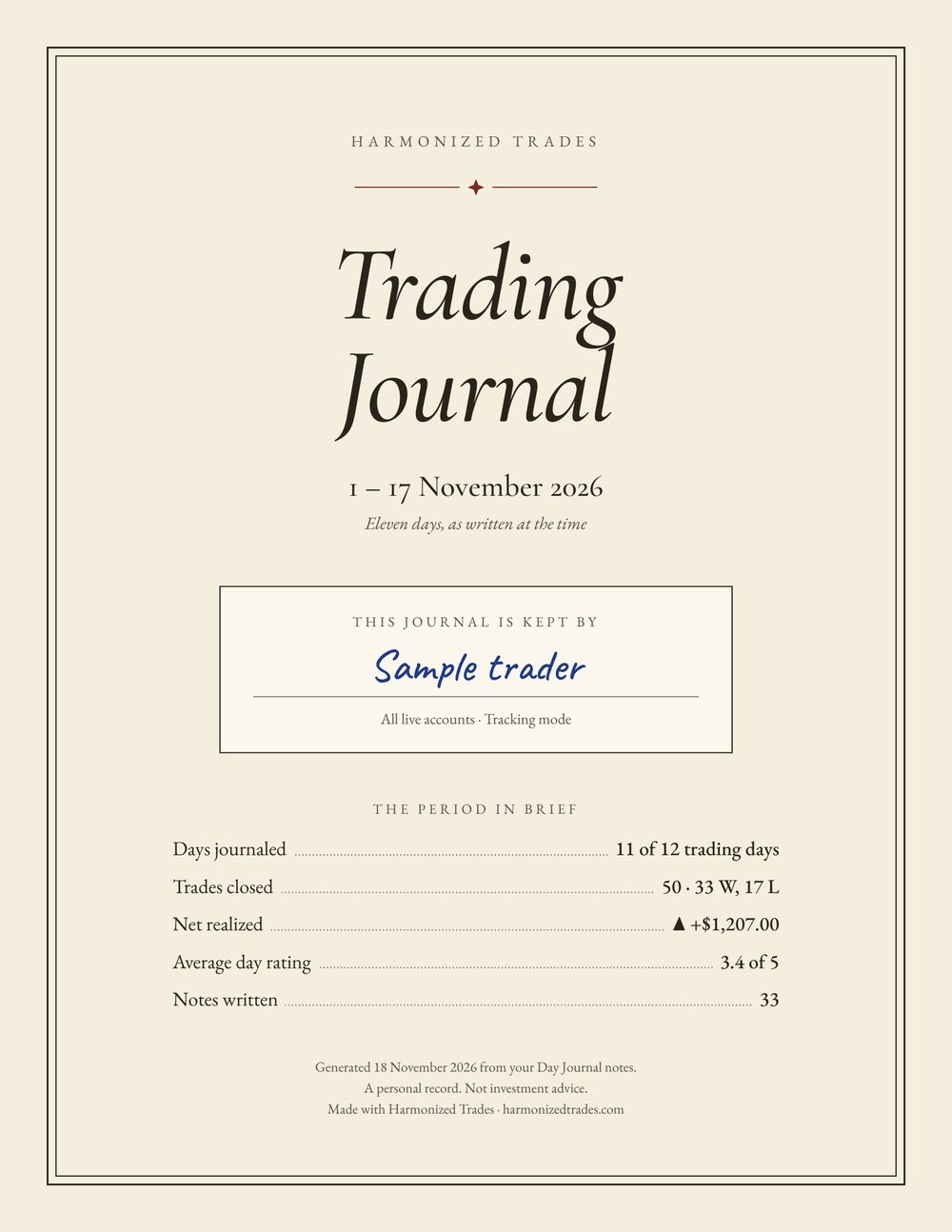
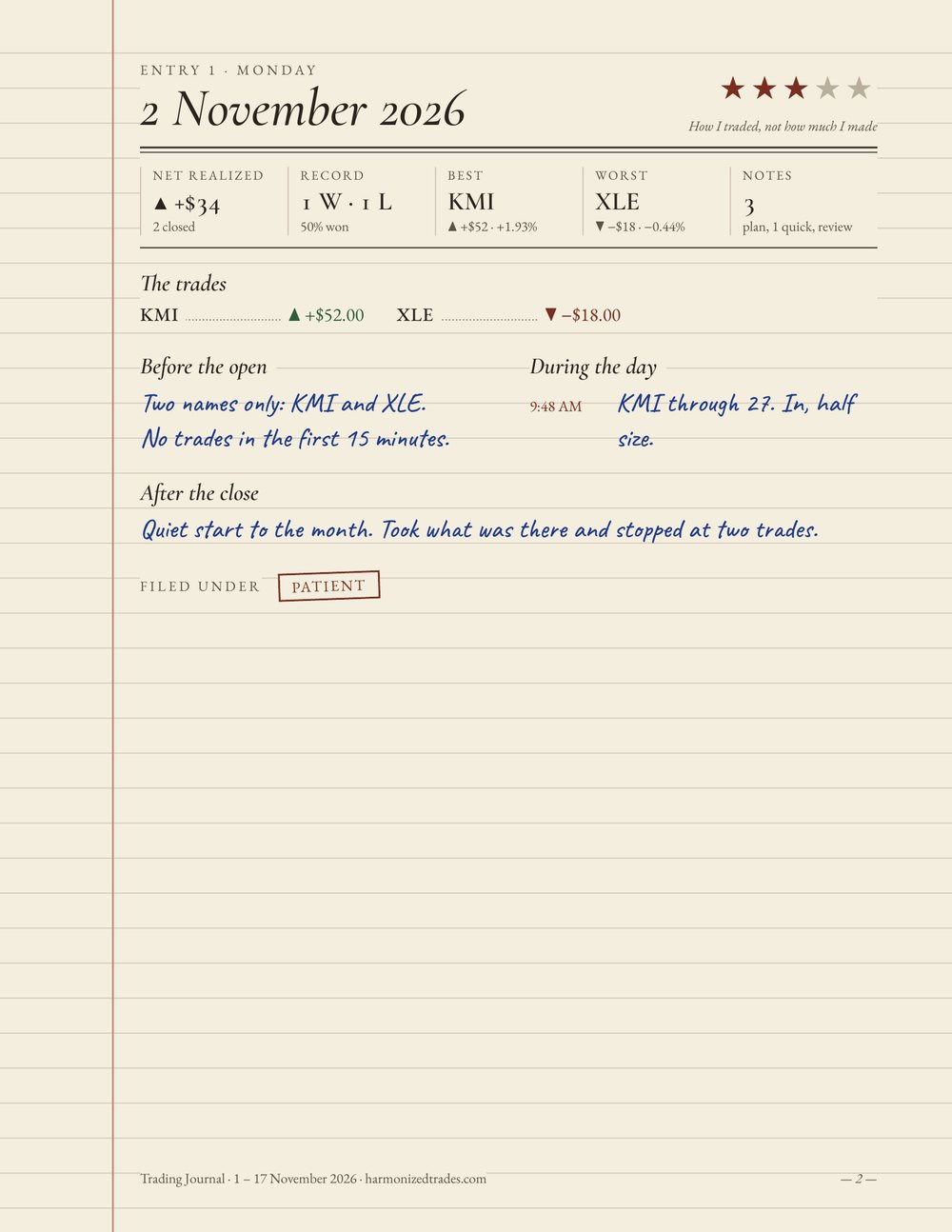
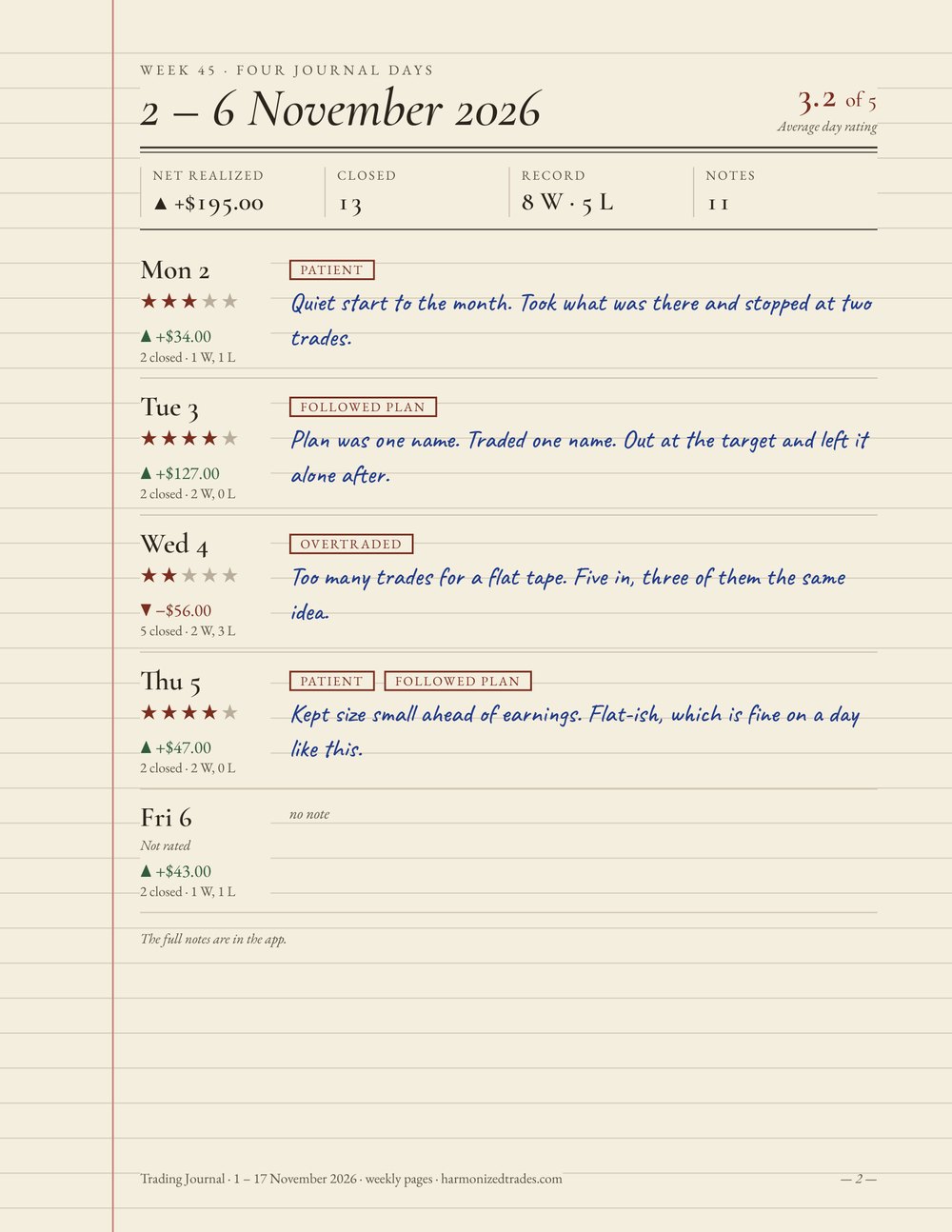
A sample Journal report. The trades and notes are made up.
On every plan: a page for your day
Tap the journal icon on the Home Today card for a one-page PDF of today, or of the market day before. It's on every plan, including Free.
After-Trade Analysis (Pro)
After-Trade Analysis describes patterns in your own trades and notes. On Pro, an AI model writes the sentences and every number is calculated by our own engine. It needs at least 50 closed trades in the period.
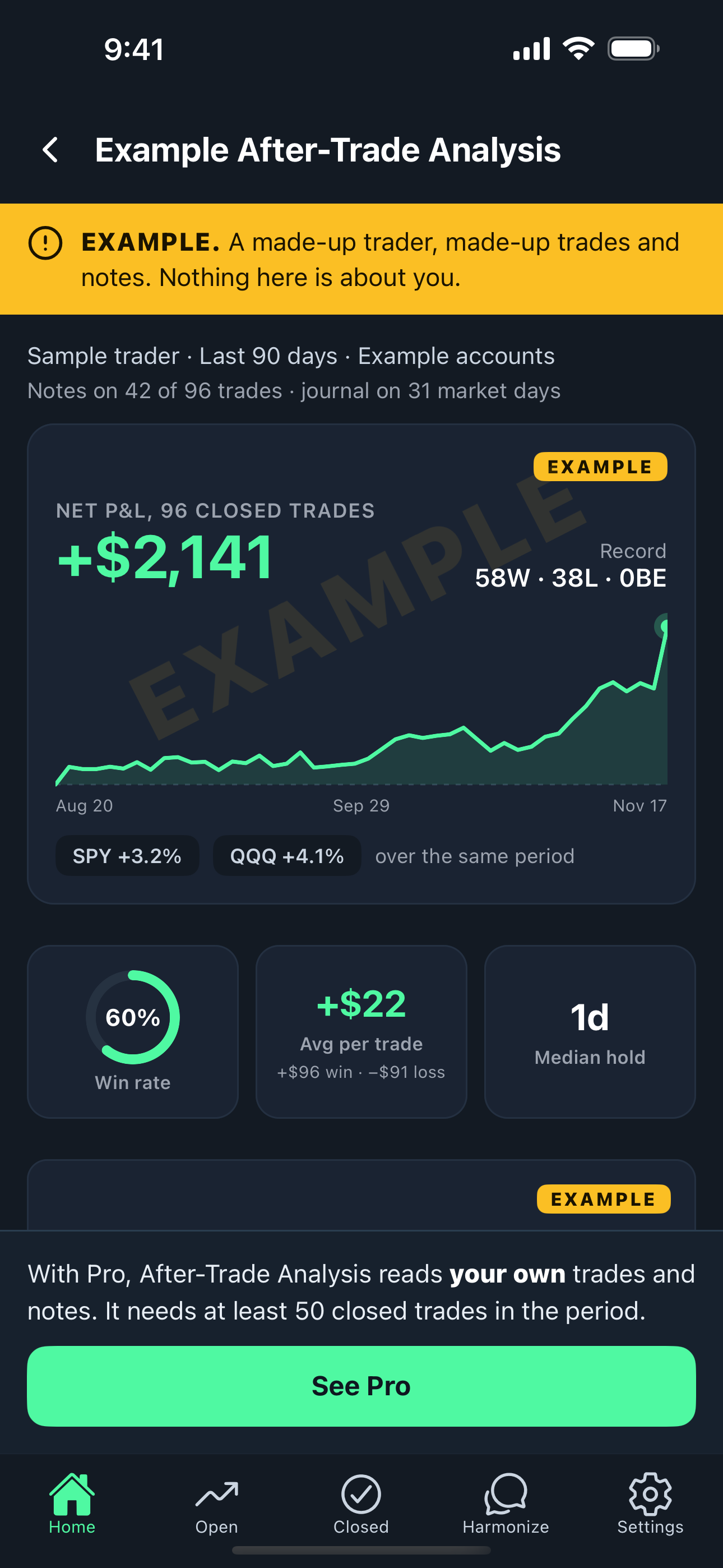
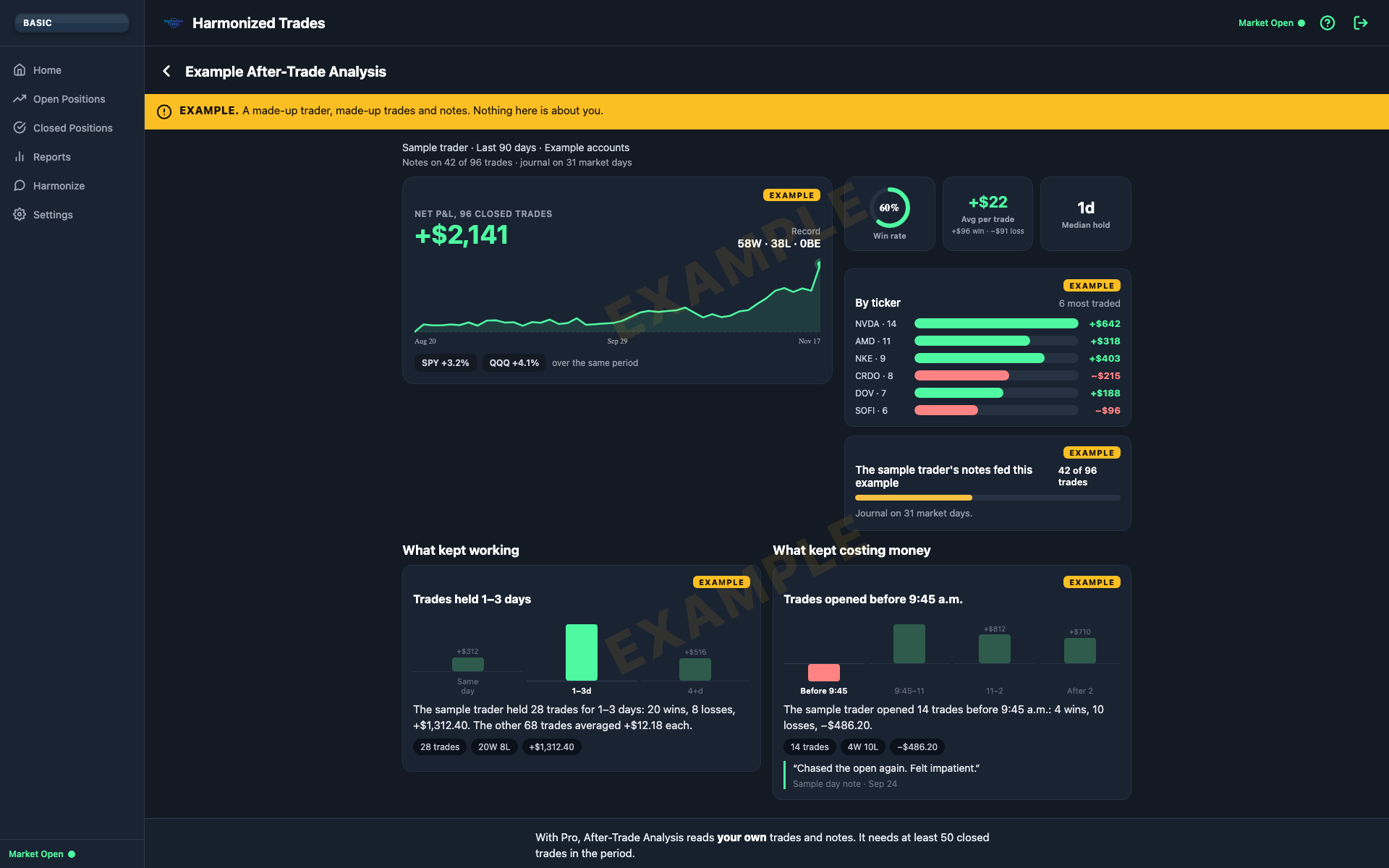
The example is prewritten for a made-up trader. It did not call an AI model.