
Help Getting started
Getting started
Harmonized Trades is a free mobile trading journal for stocks and options. It lives on your phone. Link Schwab, or bring trades in from a file, then find patterns in how you trade.
The web app comes with Basic and Pro.
What the app is
You log stocks and options, rate how you traded, and read reports computed from your filled trades. Your win rate is calculated, not guessed. The app does not give picks, signals, or advice.
On Home, the Today card is the day's rating, quick notes, and the Notes tile.
Phone
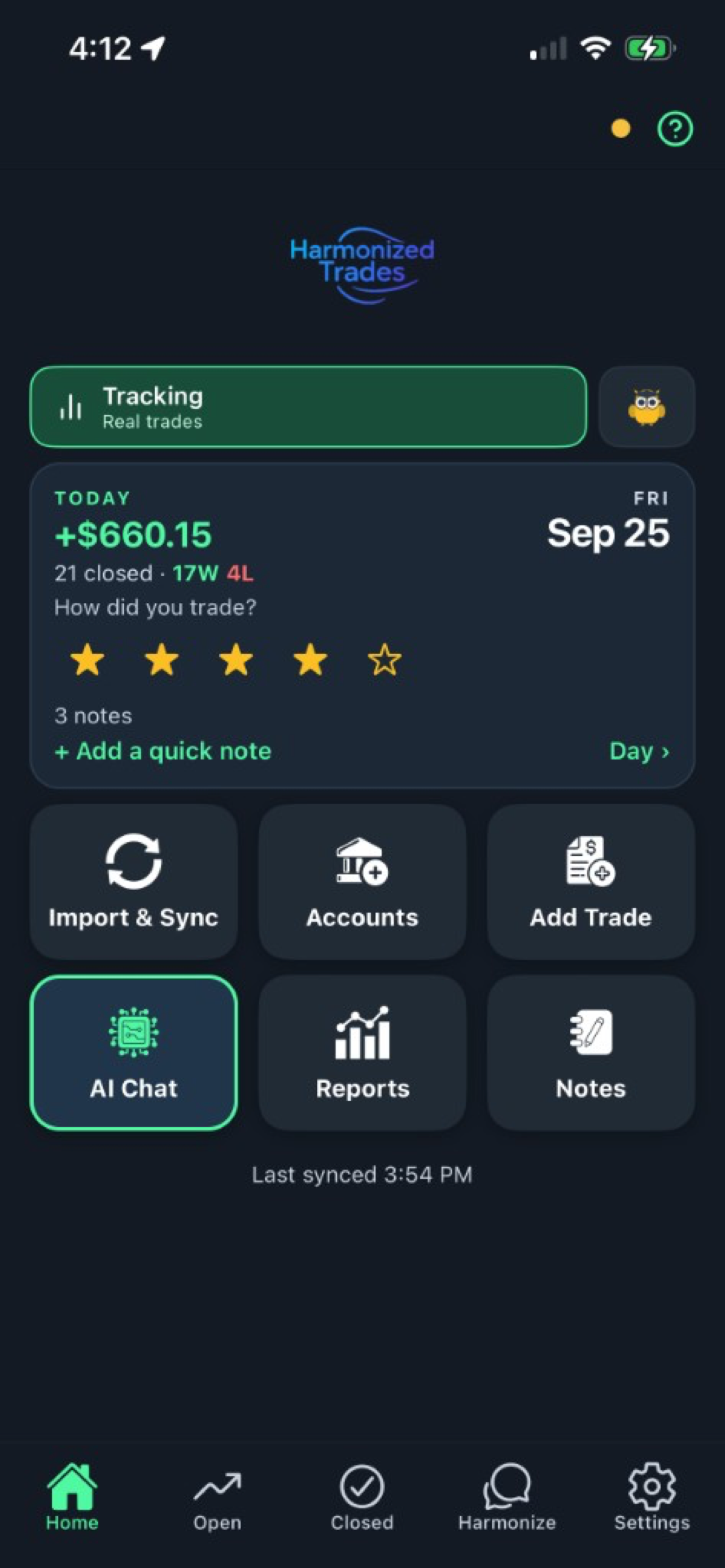
Install
Harmonized Trades is free on the App Store and Google Play. No ads.


Sign in
Sign-in is handled by Auth0. We never see or store your password. The same login works on the phone and, on Basic and Pro, in the web app at app.harmonizedtrades.com.
Your first week
If you're at Schwab, link the account under Settings → Brokerage, tap Sync, and pick a date range. Your trades come in, and prices update while the market is open. On Basic and Pro you can also turn on Auto Sync, so the journal catches up with Schwab on its own: once a day after the close on Basic, through the trading day on Pro. It's off until you switch it on. Schwab asks you to re-authorize every seven days — we'll remind you before it lapses.
At Fidelity, export your history and import the file. Anywhere else, import any CSV or spreadsheet — match your columns once and save the format — or add trades by hand. The steps are on Get your trades in.
Write something down. Every position has a notes field, and there's a daily journal. Rate how you traded, not how much you made. See The journal.
Open Reports. Tap any total to see the trades behind it. Every number is computed from your filled trades, not estimated.
Ask the AI. Chat is also search. "Show me my AAPL trades" works, and the answer comes from your own trade records. See Ask the AI.
On Basic or Pro, open the web app — same login. Log on your phone, review at your desk.
Education mode
If you're not ready to log real trades, switch Home from Tracking to Education. Education is a paper account on live prices, separate from your real portfolio. Its AI explains concepts and never sees your real trades. It has its own journal.
Still stuck? Email support